# SnowConvert AI - Oracle Conversion Settings
The SnowConvert AI tool is subject to the [Conversion Software Terms of Use](https://www.snowflake.com/en/legal/technical-services-and-education/conversion-software-terms/).
## General Conversion Settings
### Object Conversion
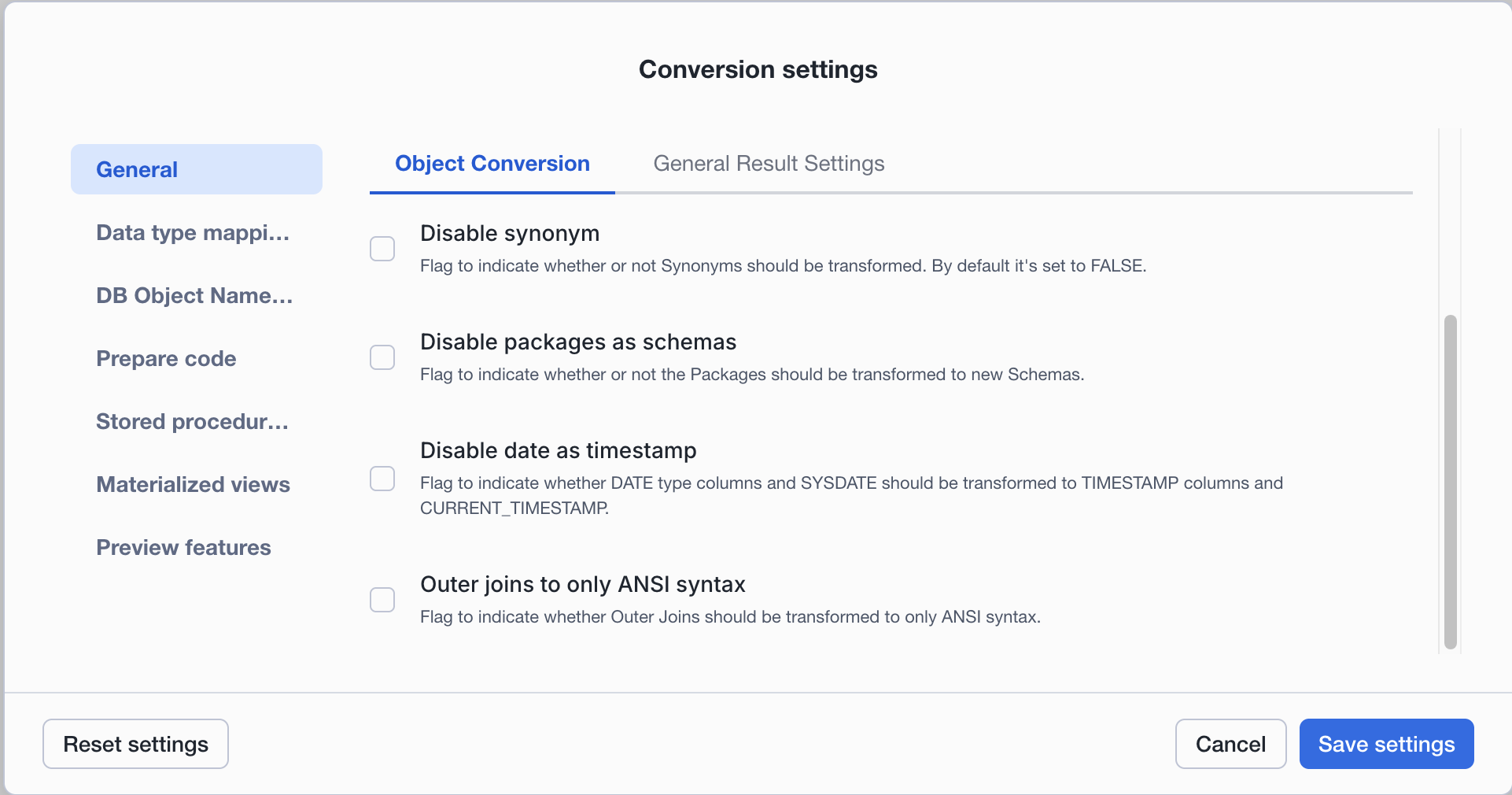
1. **Transform Synonyms:** Flag to indicate whether or not Synonyms should be transformed. By default, it's set to true.
2. **Transform Packages to new Schemas:** Flag to indicate whether or not the Packages should be transformed to new Schemas.
Please check the naming of the procedure enabling and disabling the flag:
**Input**
```sql
CREATE OR REPLACE PACKAGE emp_mgmt AS
PROCEDURE remove_emp (employee_id NUMBER );
END emp_mgmt;
CREATE OR REPLACE PACKAGE BODY emp_mgmt AS
PROCEDURE remove_emp (employee_id NUMBER) IS
BEGIN
DELETE FROM employees
WHERE employees.employee_id = remove_emp.employee_id;
tot_emps := tot_emps - 1;
END;
END emp_mgmt;
```
**Output Default**
```
CREATE SCHEMA IF NOT EXISTS emp_mgmt
COMMENT = '{"origin":"sf_sc","name":"snowconvert","version":{"major":1, "minor":0},"attributes":{"component":"oracle"}}'
;
CREATE OR REPLACE PROCEDURE emp_mgmt.remove_emp (employee_id NUMBER(38, 18))
RETURNS VARCHAR
LANGUAGE SQL
COMMENT = '{"origin":"sf_sc","name":"snowconvert","version":{"major":1, "minor":0},"attributes":{"component":"oracle"}}'
EXECUTE AS CALLER
AS
$$
BEGIN
DELETE FROM
employees
WHERE employees.employee_id = remove_emp.employee_id;
tot_emps :=
!!!RESOLVE EWI!!! /*** SSC-EWI-OR0036 - TYPES RESOLUTION ISSUES, ARITHMETIC OPERATION '-' MAY NOT BEHAVE CORRECTLY BETWEEN unknown AND Number ***/!!!
tot_emps - 1;
END;
$$;
```
**Output with param disablePackagesAsSchemas**
```
-- Additional Params: --disablePackagesAsSchemas
CREATE OR REPLACE PROCEDURE EMP_MGMT_REMOVE_EMP (employee_id NUMBER(38, 18))
RETURNS VARCHAR
LANGUAGE SQL
COMMENT = '{"origin":"sf_sc","name":"snowconvert","version":{"major":1, "minor":0},"attributes":{"component":"oracle"}}'
EXECUTE AS CALLER
AS
$$
BEGIN
DELETE FROM
employees
WHERE employees.employee_id = remove_emp.employee_id;
tot_emps :=
!!!RESOLVE EWI!!! /*** SSC-EWI-OR0036 - TYPES RESOLUTION ISSUES, ARITHMETIC OPERATION '-' MAY NOT BEHAVE CORRECTLY BETWEEN unknown AND Number ***/!!!
tot_emps - 1;
END;
$$;
```
3. **Transform Date as Timestamp:**
Flag to indicate whether `SYSDATE` should be transformed into `CURRENT_DATE` _or_ `CURRENT_TIMESTAMP`. This will also affect all `DATE` columns that will be transformed to `TIMESTAMP`.
**Input**
```sql
CREATE TABLE DATE_TABLE(
DATE_COL DATE
);
SELECT SYSDATE FROM DUAL;
```
**Output Default**
```sql
CREATE OR REPLACE TABLE DATE_TABLE (
DATE_COL TIMESTAMP /*** SSC-FDM-OR0042 - DATE TYPE COLUMN HAS A DIFFERENT BEHAVIOR IN SNOWFLAKE. ***/
)
COMMENT = '{"origin":"sf_sc","name":"snowconvert","version":{"major":1, "minor":0},"attributes":{"component":"oracle"}}'
;
SELECT
CURRENT_TIMESTAMP()
FROM DUAL;
```
**Output with param disableDateAsTimestamp**
```sql
-- Additional Params: --disableDateAsTimestamp
CREATE OR REPLACE TABLE DATE_TABLE (
DATE_COL DATE /*** SSC-FDM-OR0042 - DATE TYPE COLUMN HAS A DIFFERENT BEHAVIOR IN SNOWFLAKE. ***/
)
COMMENT = '{"origin":"sf_sc","name":"snowconvert","version":{"major":1, "minor":0},"attributes":{"component":"oracle"}}'
;
SELECT
CURRENT_DATE()
FROM DUAL;
```
4. **Transform OUTER JOINS to ANSI Syntax:** Flag to indicate whether Outer Joins should be transformed to only ANSI syntax.
### Data type mappings
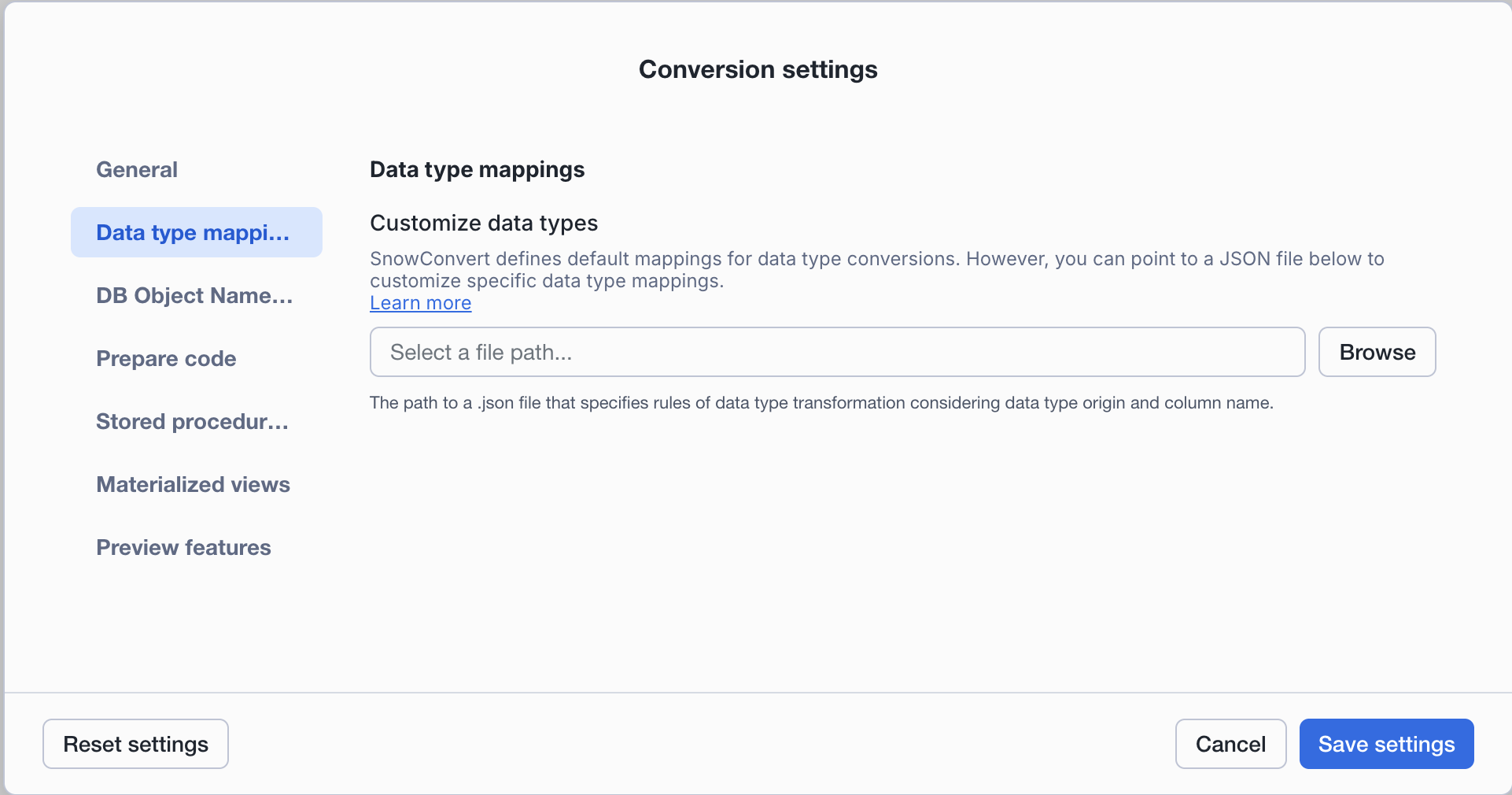
SnowConvert defines default mappings for data type conversions. However, you can point to a JSON file to customize specific data type mappings.
**Customize data types:** You can upload a JSON file to define specific data type transformation rules. This feature allows you to customize how data types are converted during migration.
**Supported transformations include:**
- `NUMBER` to custom `NUMBER` with specific precision and scale
- `NUMBER` to `DECFLOAT` for preserving exact decimal precision
When you upload a data type customization file:
- SnowConvert AI applies your transformation rules during conversion
- Numeric literals in `INSERT` statements targeting customized columns are automatically cast to the appropriate type
- A [TypeMappings Report](../review-results/reports/type-mappings-report) is generated showing all data type transformations applied
**JSON Structure:**
The JSON file supports three ways to specify data type changes:
| Method | Scope | Use Case |
| --------------------------------- | -------------- | ---------------------------------------------------------------------------- |
| `projectTypeChanges.types` | Global | Transform all occurrences of a specific data type |
| `projectTypeChanges.columns` | Global | Transform columns matching a name pattern (case-insensitive substring match) |
| `specificTableTypeChanges.tables` | Table-specific | Transform specific columns in specific tables |
**Use column name patterns carefully.** The `projectTypeChanges.columns` rules only apply to columns with `NUMBER` data types, but they match by name pattern without considering the precision or scale of the original `NUMBER` type. This means a pattern like `"MONTH"` will transform **all** matching `NUMBER` columns to the target type, regardless of their original precision (e.g., `NUMBER(10,0)`, `NUMBER(38,18)`, or `NUMBER` without precision). Always review the [TypeMappings Report](../review-results/reports/type-mappings-report) after conversion to verify that the transformations were applied correctly.
**Priority order:** When multiple rules apply to the same column, SnowConvert AI uses this priority (highest to lowest):
1. `specificTableTypeChanges` (most specific)
2. `projectTypeChanges.columns` (name pattern)
3. `projectTypeChanges.types` (global type mapping)
**Example JSON configuration:**
```json
{
"projectTypeChanges": {
"types": {
"NUMBER": "DECFLOAT",
"NUMBER(10, 0)": "NUMBER(18, 0)"
},
"columns": [
{
"nameExpression": "PRICE",
"targetType": "DECFLOAT"
},
{
"nameExpression": ".*_AMOUNT$",
"targetType": "NUMBER(18, 2)"
}
]
},
"specificTableTypeChanges": {
"tables": [
{
"tableName": "EMPLOYEES",
"columns": [
{
"columnName": "SALARY",
"targetType": "NUMBER(15, 2)"
}
]
}
]
}
}
```
**Download template:** Copy and save the JSON structure above as your starting point.
**Example transformation:**
Given the following Oracle input code:
#### Oracle
```sql
CREATE TABLE employees (
employee_ID NUMBER,
manager_YEAR NUMBER(10, 0),
manager_MONTH NUMBER(10, 0),
salary NUMBER(12, 2)
);
```
And a JSON customization file with:
- `"NUMBER": "NUMBER(11, 2)"` in `projectTypeChanges.types`
- `"NUMBER(10, 0)": "NUMBER(18, 0)"` in `projectTypeChanges.types`
- `"MONTH"` pattern targeting `NUMBER(2,0)` in `projectTypeChanges.columns`
- `SALARY` column targeting `NUMBER(15, 2)` in `specificTableTypeChanges` for EMPLOYEES table
The output will be:
#### Snowflake
```sql
CREATE OR REPLACE TABLE employees (
employee_ID NUMBER(11, 2),
manager_YEAR NUMBER(18, 0),
manager_MONTH NUMBER(2, 0),
salary NUMBER(15, 2)
);
```
| Column | Original Type | Transformed To | Rule Applied |
| ------------- | ------------- | -------------- | --------------------------------------------- |
| employee_ID | NUMBER | NUMBER(11, 2) | `projectTypeChanges.types` |
| manager_YEAR | NUMBER(10, 0) | NUMBER(18, 0) | `projectTypeChanges.types` |
| manager_MONTH | NUMBER(10, 0) | NUMBER(2, 0) | `projectTypeChanges.columns` (MONTH pattern) |
| salary | NUMBER(12, 2) | NUMBER(15, 2) | `specificTableTypeChanges` (highest priority) |
### General Result Tab
.png "image")
1. **Comment objects with missing dependencies:** This flag indicates whether the user wants to comment on nodes with missing dependencies.
2. **Set encoding of the input files:** Check [General Conversion Settings](general-conversion-settings) for more details.
To review the Settings that apply to all supported languages, go to the following [article](general-conversion-settings).
## DB Objects Names Settings
.png "image")
1. **Schema:** The string value specifies the custom schema name to apply. If not specified, the original database name will be used. Example: DB1.**myCustomSchema**.Table1.
2. **Database:** The string value specifies the custom database name to apply. Example: **MyCustomDB**.PUBLIC.Table1.
3. **Default:** None of the above settings will be used in the object names.
## Prepare Code Settings
.png "image")
### **Description**
**Prepare my code:** Flag to indicate whether the input code should be processed before parsing and transformation. This can be useful to improve the parsing process. By default, it's set to FALSE.
Splits the input code top-level objects into multiple files. The containing folders would be organized as follows:
Copy
```
└───A new folder named ''[input_folder_name]_Processed''
└───Top-level object type
└───Schema name
```
### **Example**
#### **Input**
```
├───in
│ DDL_Packages.sql
│ DDL_Procedures.sql
│ DDL_Tables.sql
```
#### **Output**
Assume that the name of the files is the name of the top-level objects in the input files.
```
├───in_Processed
├───package
│ └───MY_SCHEMA
│ MY_FIRST_PACKAGE.sql
│ ANOTHER_PACKAGE.sql
│
├───procedure
│ └───MY_SCHEMA
│ A_PROCEDURE.sql
│ ANOTHER_PROCEDURE.sql
│ YET_ANOTHER_PROCEDURE.sql
│
└───table
└───MY_SCHEMA
MY_TABLE.sql
ADDITIONAL_TABLE.sql
THIRD_TABLE.sql
```
Inside the "schema name" folder, there should be as many files as top-level objects in the input code. Also, it is possible to have copies of some files when multiple same-type top-level objects have the same name. In this case, the file names will be enumerated in ascending order.
.png "image")
### Requirements
To identify top-level objects, a tag must be included in a comment before their declaration. Our [Extraction](../../code-extraction/oracle) scripts generate these tags.
The tag should follow the next format:
```
top_level_object_name
```
You can follow the next example:
```sql
/* MY_SCHEMA.MY_TABLE */
CREATE TABLE "MY_SCHEMA"."MY_TABLE" (
"MY_COLUMN" VARCHAR2(128)
) ;
```
## Conversion Rate Settings
.png "image")
On this page, you can choose whether the successfully converted code percentage is calculated using lines of code or using the total number of characters. The **character conversion rate** is the default option. You can read the entire rate documentation on the[documentation page](../../../../general/user-guide/snowconvert/README).
## Stored Procedures Target Languages Settings
.png "image")
On this page, you can choose whether stored procedures are migrated to JavaScript embedded in Snow SQL, or to Snowflake Scripting. The default option is Snowflake Scripting.
**Reset Settings:** The reset settings option appears on every page. If you've made changes, you can reset SnowConvert AI to its original default settings.