Tutorial 3: Add a CKE to Snowflake CoWork
Step-by-step instructions
It’s easy to add a Cortex Knowledge Extension to Snowflake CoWork. Once you have a CKE in your account, you can add it to Snowflake CoWork by adding the CKE to an Agent in Snowsight.
Important
Before you get started, make sure Snowflake CoWork has access to the CKE:
-
Sign in to Snowsight.
-
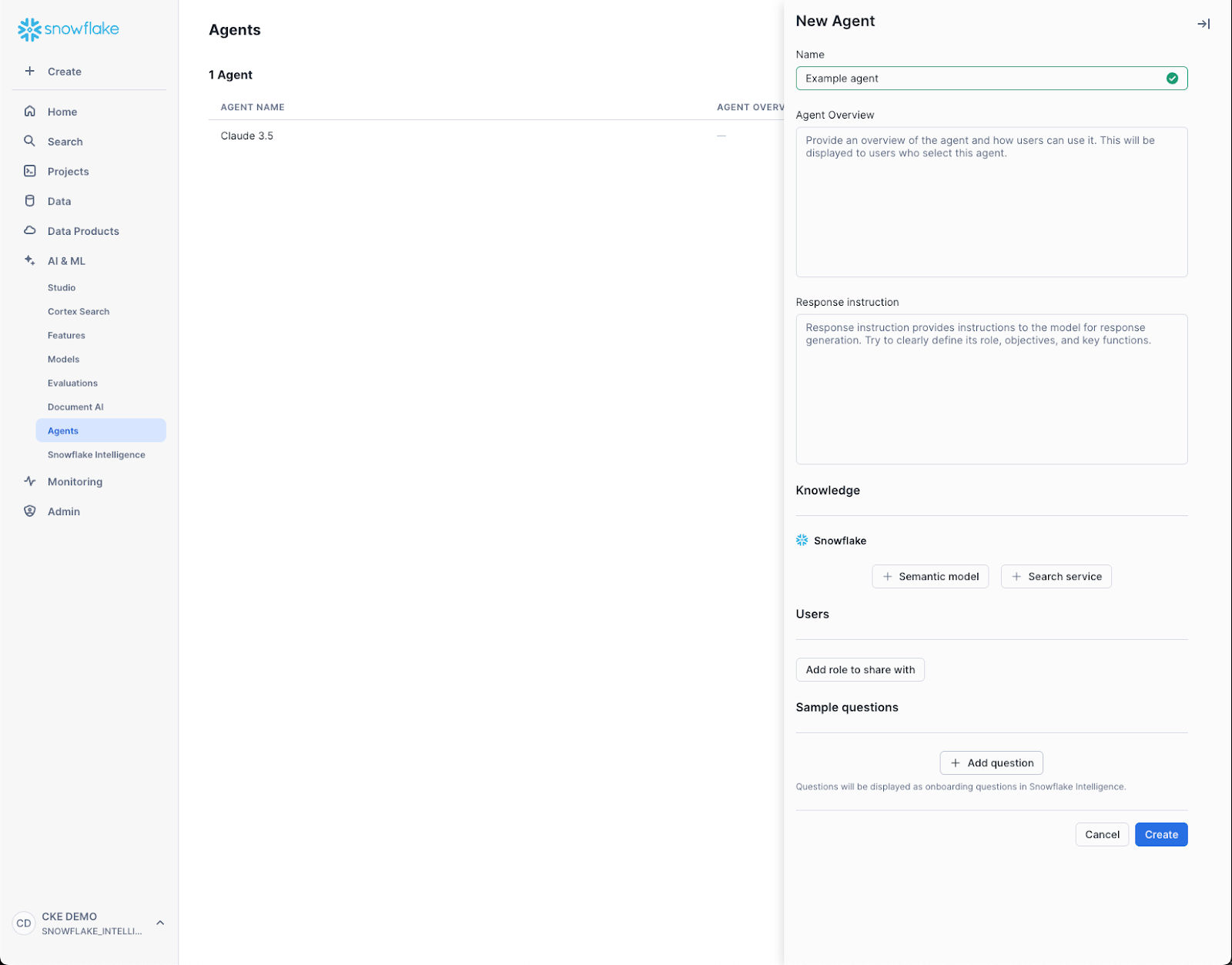
In the navigation menu, select AI & ML » Agents.
-
In the Agents screen, select Create Agent and give the Agent a name.
-
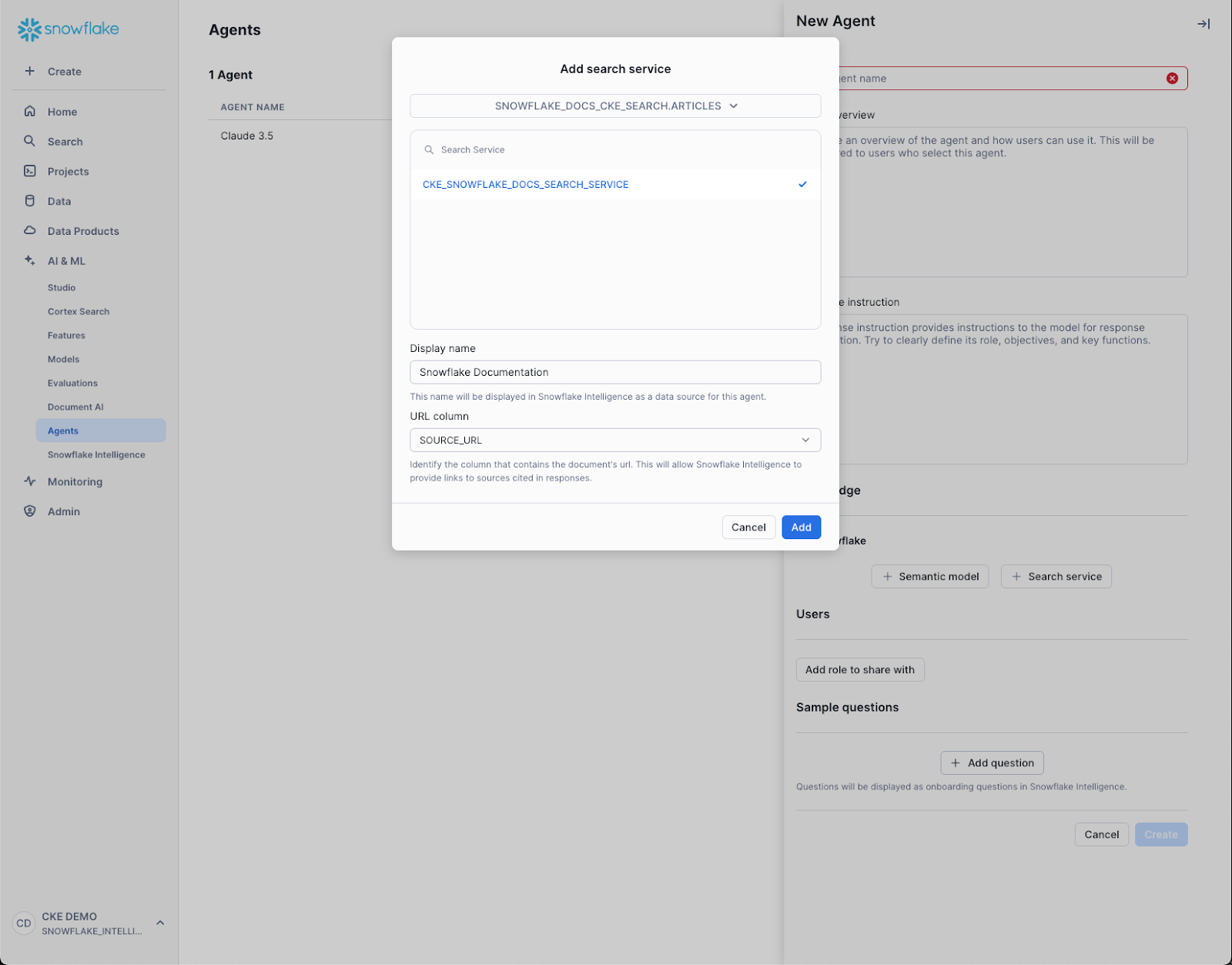
On the Tools tab, click Search documents and unstructured to open the Add tool: Cortex Search dialog.
-
Select the Database that has the CKE, and select the Search Service for the CKE.
-
Give the CKE a display name and a description.
-
Click Add.
-
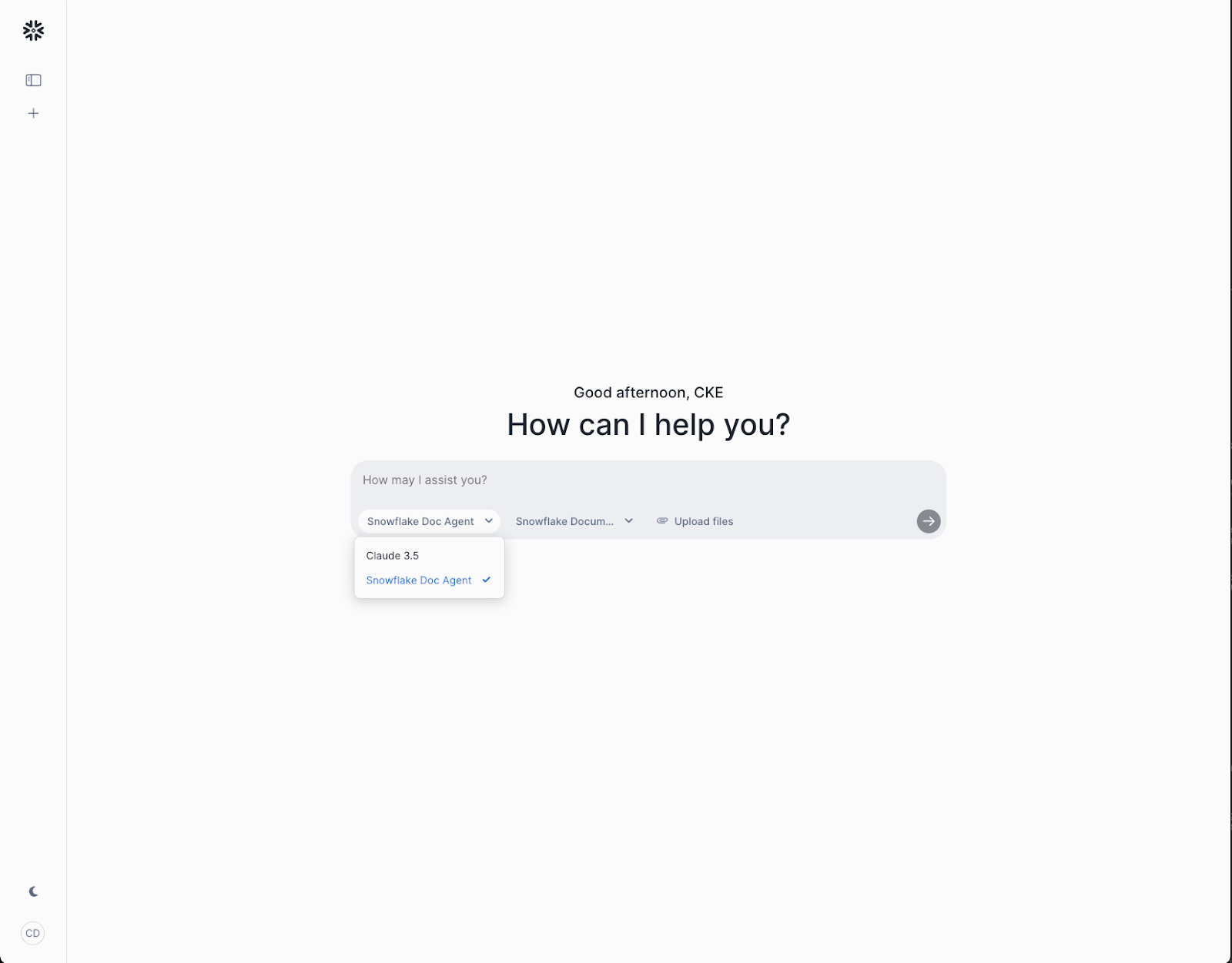
Navigate to Snowflake CoWork on the left side.
-
Select the drop down under the textbox to select the new Agent with your CKE tied to it.
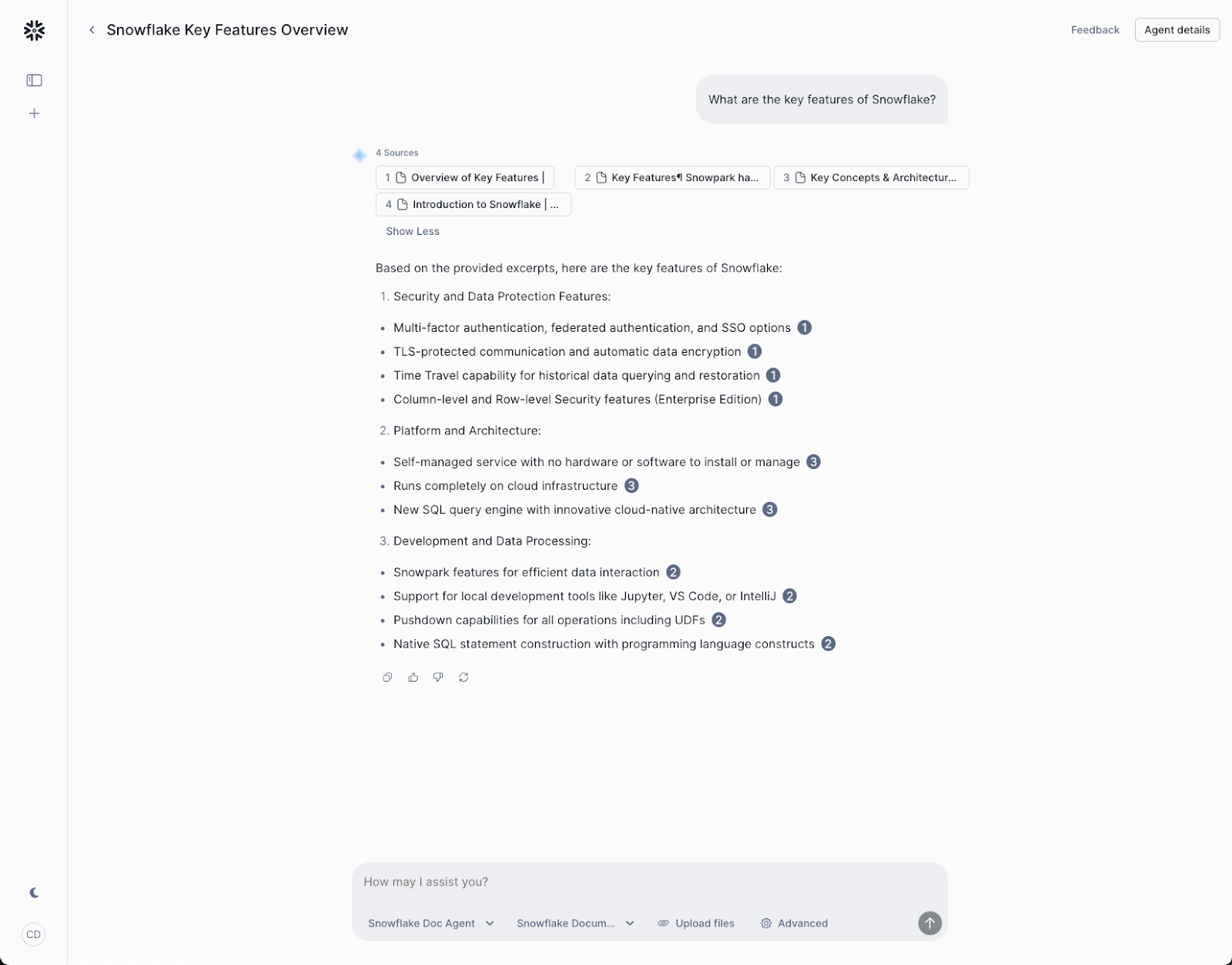
- Ask a question with the selected Agent and see the cited answers with links back to the source content via the CKE.