- Categories:
String & binary functions (AI Functions)
AI_
AI_SUMMARIZE is a managed Cortex AI function for summarizing text and multimodal content. It accepts either a TEXT input or a FILE reference to an image or document and returns a concise summary as TEXT. AI_SUMMARIZE automatically identifies key themes, facts, and relationships in the input, making it easy to summarize long-form text, images, and complex documents with a single function. The function supports multilingual content, although summary quality can vary by language.
Syntax
For TEXT input:
For FILE input:
Arguments
Required (one of):
textA string containing the text from which a summary should be generated.
fileA FILE object representing the stage reference to the file from which a summary should be generated.
Optional:
return_error_detailsA boolean that reports row-level failures when set to
TRUE. For more information, see BCR 2184.
Returns
Returns a string summary of the input.
Usage notes
- Short inputs: AI_SUMMARIZE returns the original input when the input is 110 characters or fewer, and when a generated summary would be longer than the source. All tokens processed are billed.
- Summarizing across rows: Use AI_AGG rather than combining rows with LISTAGG before calling AI_SUMMARIZE.
- Regional differences: Supported modalities, context windows, file sizes, and page limits vary by region. See Limitations for details.
- Row-level errors: Use
return_error_details => TRUEwhen you want error details for individual rows.
Examples
Summarize text
AI_SUMMARIZE condenses long-form text while retaining the key points and overall meaning.
In this example, a detailed product review is summarized into the product’s main strengths, comfort issues, and the customer’s overall recommendation.
Response:
Summarize file content
The AI_SUMMARIZE function generates concise summaries of image and document files stored in an internal Snowflake stage or an external stage.
Image example
The following example uses AI_SUMMARIZE to generate a summary of a Snowflake cartoon illustrating a document processing workflow.
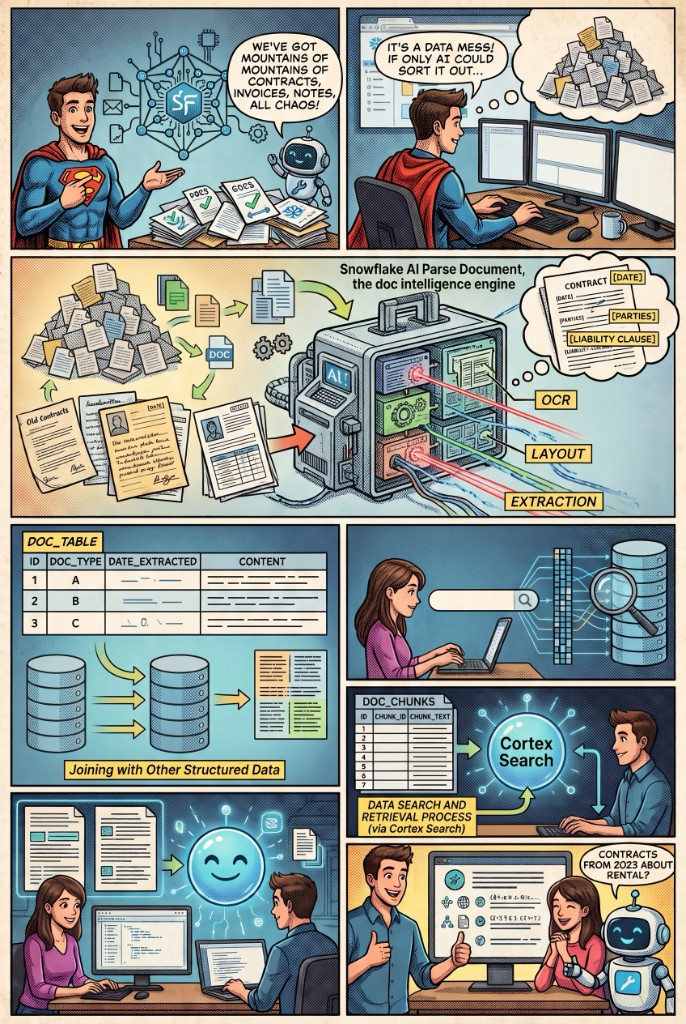
Response:
Document example
The following example demonstrates how AI_SUMMARIZE can distill a 27-page financial report with complex layouts and detailed analysis into a concise summary.

Response:
Summarize a library of files
-
Create a multimodal table for your files. Create a table of file references so you can work with your staged files using SQL.
-
Query file metadata with SQL. Use file functions to inspect metadata such as file name, content type, size, stage, and last modified date.
-
Summarize every file with a single query. Use AI_SUMMARIZE to generate a summary for each document, without having to reference files individually.
Limitations
| Availability | Context Window – Text Inputs | Context Window – Files | Image Support | Document Support |
|---|---|---|---|---|
ANY_REGION | 272K | 1M | JPG/JPEG, PNG, WEBP, GIF · 100 MB | PDF, TXT, MD · 37.5 MB · 1,000 pages TXT, MD, PDF, DOC/DOCX, XLS/XLSX, CSV, XHTML · 4.5 MB · 100 pages |
AWS_GLOBAL | 128K | 200K | JPG, PNG, WEBP, GIF · 3.75 MB | TXT, MD, PDF, DOC/DOCX, XLS/XLSX, CSV, XHTML · 4.5 MB · 100 pages |
AZURE_GLOBAL | 272K | 400K | JPG/JPEG, PNG, GIF, WEBP · 10 MB | N/A |
GCP_GLOBAL | 1M | 1M | JPG/JPEG, PNG, WEBP, GIF · 100 MB | PDF, TXT, MD · 37.5 MB · 1,000 pages |
Legal
The data classification of inputs and outputs are as set forth in the following table.
| Input data classification | Output data classification | Designation |
|---|---|---|
| Usage Data | Customer Data | Generally available functions are Covered AI Features. Preview functions are Preview AI Features. [1] |
For additional information, refer to Snowflake AI and ML.