Account administrator setup for Snowflake App Runtime
We recommend that an account administrator complete Snowsight App Development
Setup once per account. Setup sets account-level defaults for where apps deploy
and grants the roles you choose permission to build and deploy. It points
snow app setup and snow app deploy at a destination database, schema, and query
warehouse, so your team’s apps land in a shared database from the start.
Setup configures deploy destination defaults. It does not change where the build job runs, how artifact repositories are provisioned, or default build egress. See Deploying with Snowflake App Runtime.
Until an administrator completes setup,
snow app setup
and
snow app deploy
deploy to a personal database. You can build and
test apps there, but you can’t grant other roles access to them.
After setup, those same CLI commands use the destination database, schema, and
warehouse you configure here. Quick start uses the SNOWFLAKE_APPS database,
PUBLIC schema, and SNOWFLAKE_APPS_QUERY_WH warehouse.
Prerequisites
- A paid Snowflake account (not a trial account).
- A role that can change account settings, usually
ACCOUNTADMIN.
Open the Apps settings page
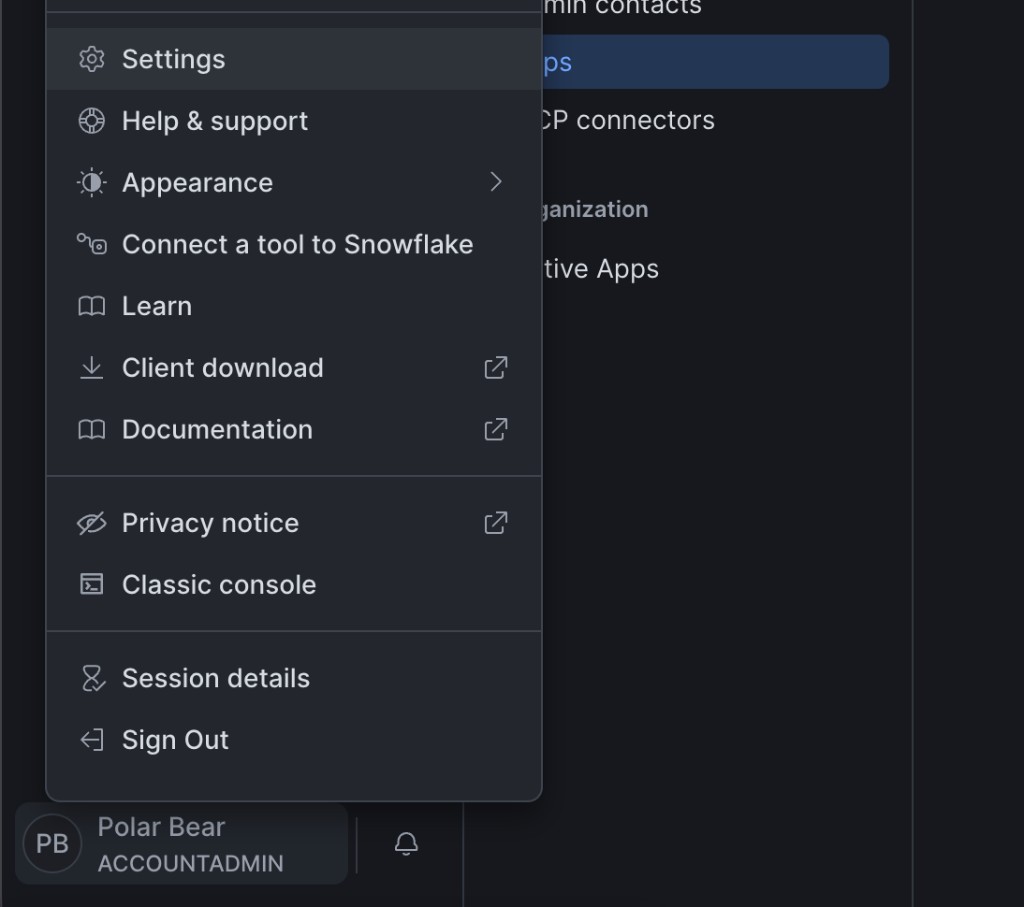
In Snowsight, select your name in the lower-left corner, then Settings.
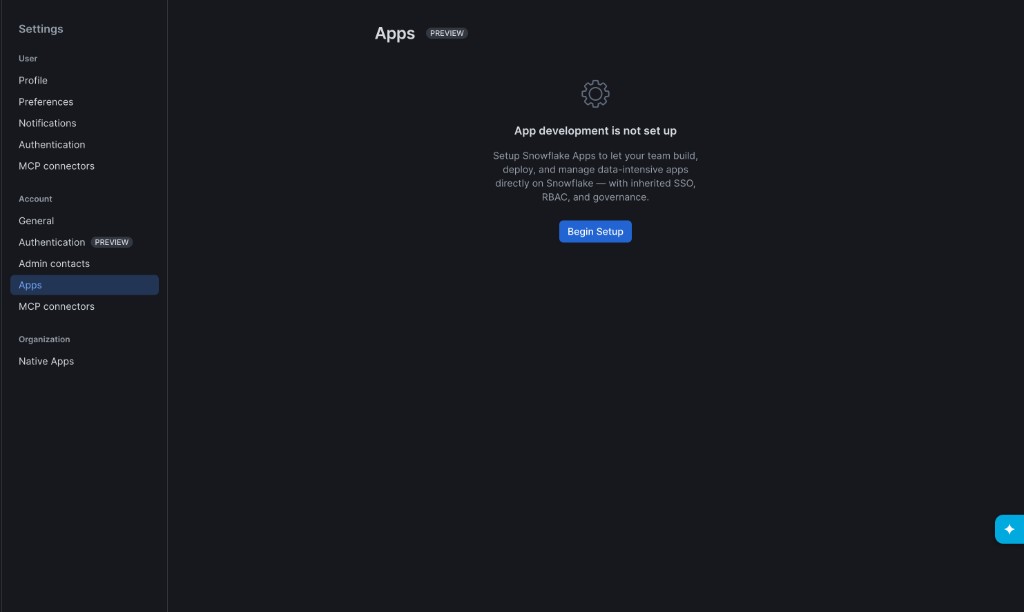
Under Account, select Apps.
If setup hasn’t run yet, the page shows App development is not set up and a Begin Setup button.
Run App Development Setup
Select Begin Setup to open App Development Setup.
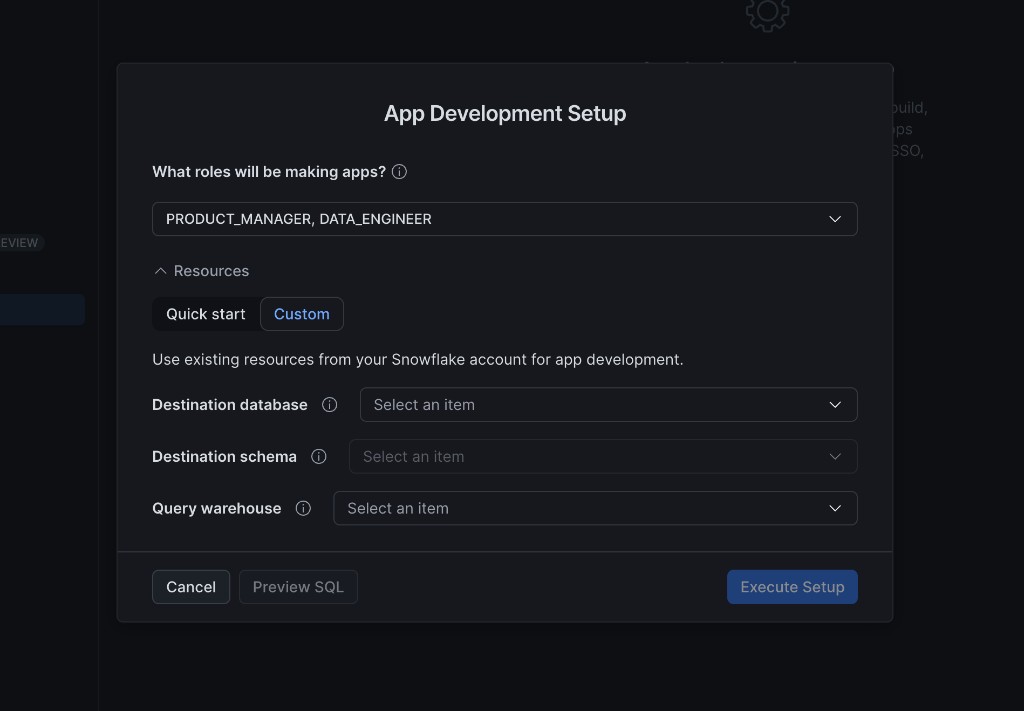
Choose roles
Under What roles will be making apps?, select every role that should build
and deploy apps (for example PRODUCT_MANAGER and DATA_ENGINEER).
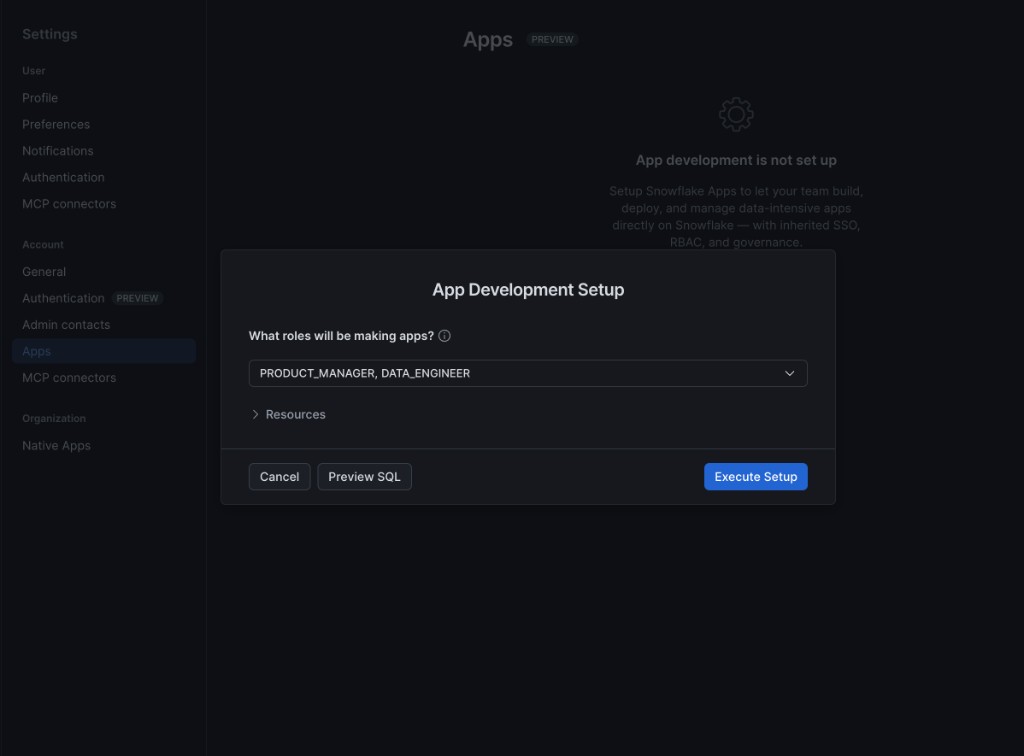
Until at least one role is selected, Preview SQL stays disabled.
Choose resources
Expand Resources and pick Quick start or Custom.
Quick start creates new objects with recommended defaults:
- Destination database:
SNOWFLAKE_APPS - Destination schema:
PUBLIC - Query warehouse:
SNOWFLAKE_APPS_QUERY_WH
Snowsight also sets account defaults so snow app setup and deploy resolve to
these objects.
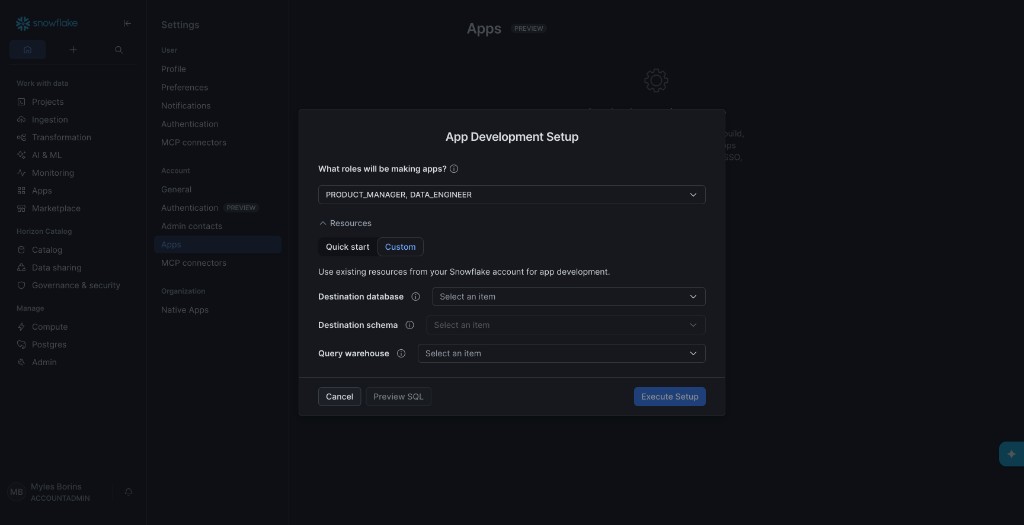
Custom uses databases, schemas, and warehouses you already have. Pick values from the dropdowns for destination database, destination schema, and query warehouse.
Preview and run setup
Select Preview SQL to open the statements Snowsight will run. The list
includes CREATE for the database, schema, and warehouse; ALTER ACCOUNT SET
for default destination and query warehouse; and GRANT for each role you chose.
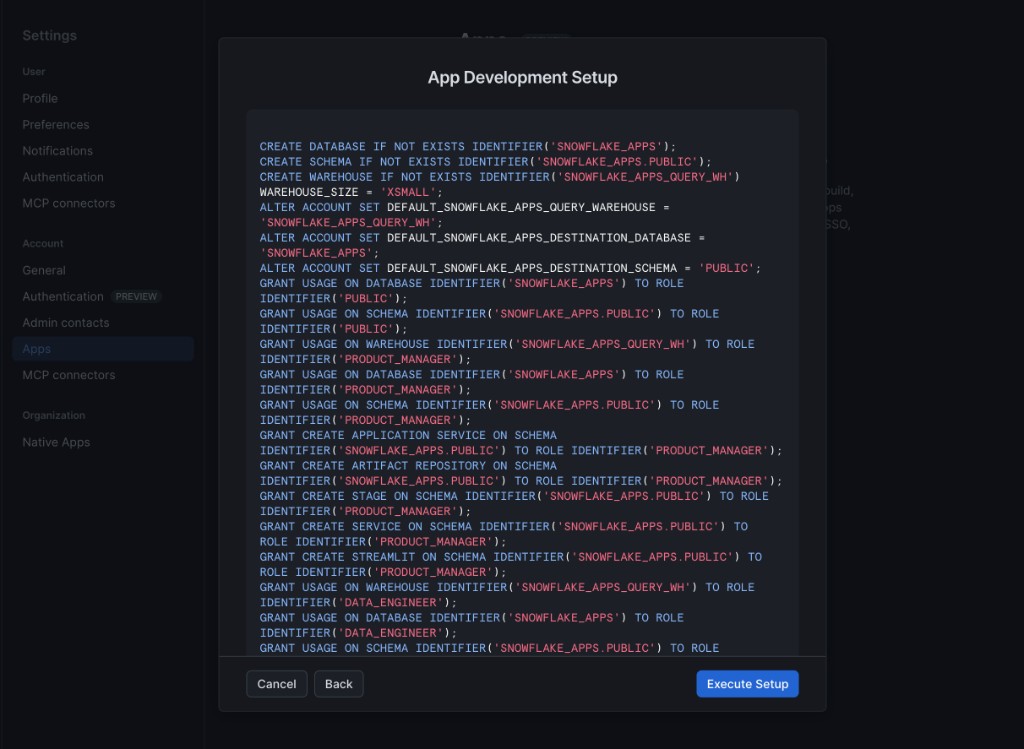
Select Execute Setup to apply the configuration. Use Back to return and change roles or resources.
After setup
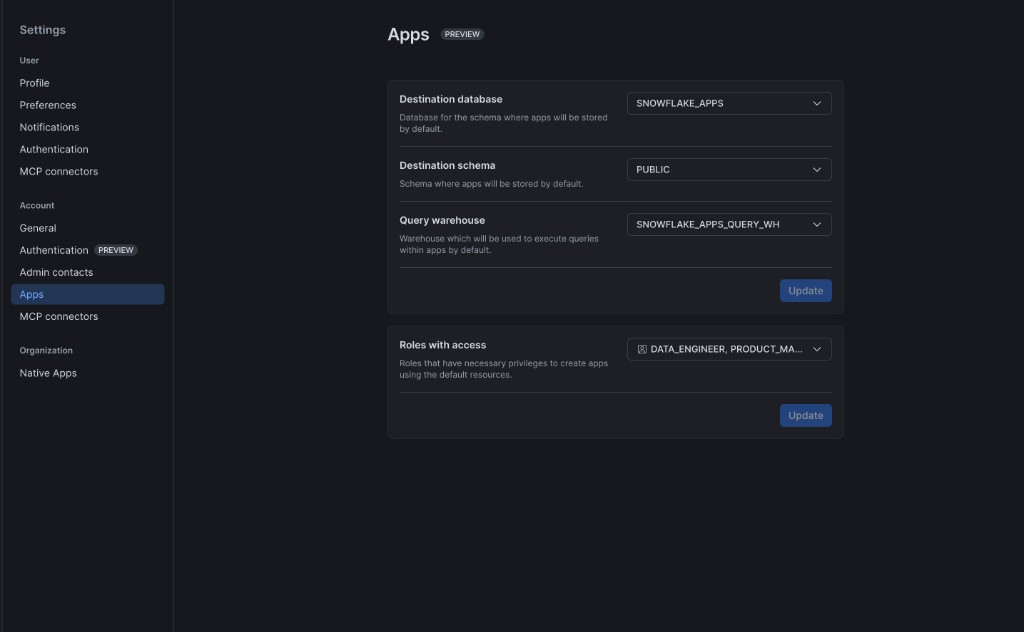
The Apps page shows two sections you can change later with Update:
- Destination database, Destination schema, and Query warehouse (defaults for where apps are stored and which warehouse runs in-app queries).
- Roles with access (roles that can create apps using those defaults).
When setup finishes, send developers to Getting started with Snowflake App Runtime.
Restrict app creation in personal databases
Until an administrator completes App Development Setup,
snow app deploy
deploys to the calling user’s personal database.
If your account policy doesn’t permit users to create apps in personal databases,
use a feature policy to block the
underlying object types.
The following example creates a feature policy that blocks App Runtime object types and attaches it to every personal database in the account:
After you set the policy, attempts to create an Application Service or Artifact Repository in a personal database fail. Users can still build and deploy apps to the shared destination database you configure with App Development Setup.
To remove the restriction, unset the policy:
For details about feature policy syntax and lifecycle, see CREATE FEATURE POLICY, ALTER FEATURE POLICY, and ALTER ACCOUNT.
See also
- Snowflake App Runtime privileges: privileges for deploy, sharing, and operations
- Access control for Snowflake App Runtime: grant
USAGE,OPERATE, andMONITORon deployed apps - Securing Snowflake App Runtime applications: caller grant restrictions, feature policies, and external access controls
- Snowflake App Runtime limitations: known limits