Overview of the data lifecycle
Snowflakeは、データの整理と保存からデータのクエリと操作、システムからのデータの削除に至るまで、システム内のデータのライフサイクル全体にわたるすべての標準 SELECT、 DDL、および DML 操作をサポートします。
Lifecycle diagram
All user data in Snowflake is logically represented as tables that you can query and modify through standard SQL interfaces. Each table belongs to a schema which in turn belongs to a database.
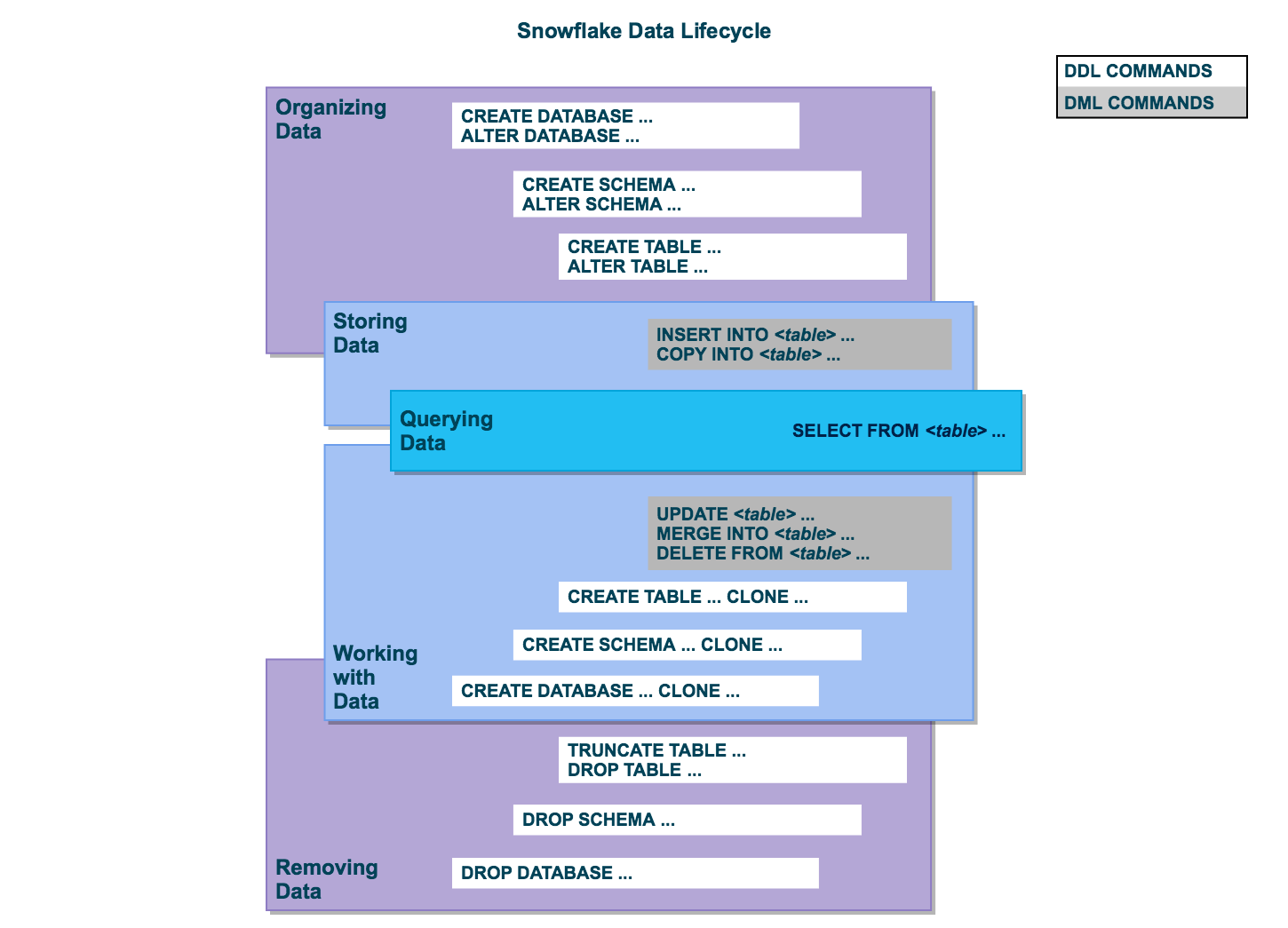
Organize data
You can organize your data into databases, schemas, and tables. Snowflake doesn't limit the number of databases you can create or the number of schemas you can create within a database. Snowflake also doesn't limit the number of tables you can create in a schema.
For more information, see the following topics:
Store data
データをテーブルに直接挿入できます。さらに、Snowflakeは、フォーマットされた外部のファイルからSnowflakeテーブルにデータをロードするための DML を提供します。
For more information, see the following topics:
Query data
After data is stored in a table, you can issue SELECT statements to query the data.
詳細については、 SELECT をご参照ください。
Work with data
After data is stored in a table, you can perform all standard DML operations on the data. In addition, Snowflake supports DDL actions, such as cloning entire databases, schemas, and tables.
For more information, see the following topics:
Remove data
DML コマンド DELETE を使用したテーブルからのデータ削除に加えて、テーブル全体を切り詰めたりドロップしたりできます。スキーマとデータベース全体のドロップもできます。
For more information, see the following topics: