Overview of the data lifecycle
Snowflake는 데이터 구성 및 저장에서 데이터 쿼리 및 작업, 시스템에서 데이터 제거에 이르기까지 시스템의 데이터 수명 주기 전반에 걸쳐 모든 표준 SELECT, DDL 및 DML 작업을 지원합니다.
Lifecycle diagram
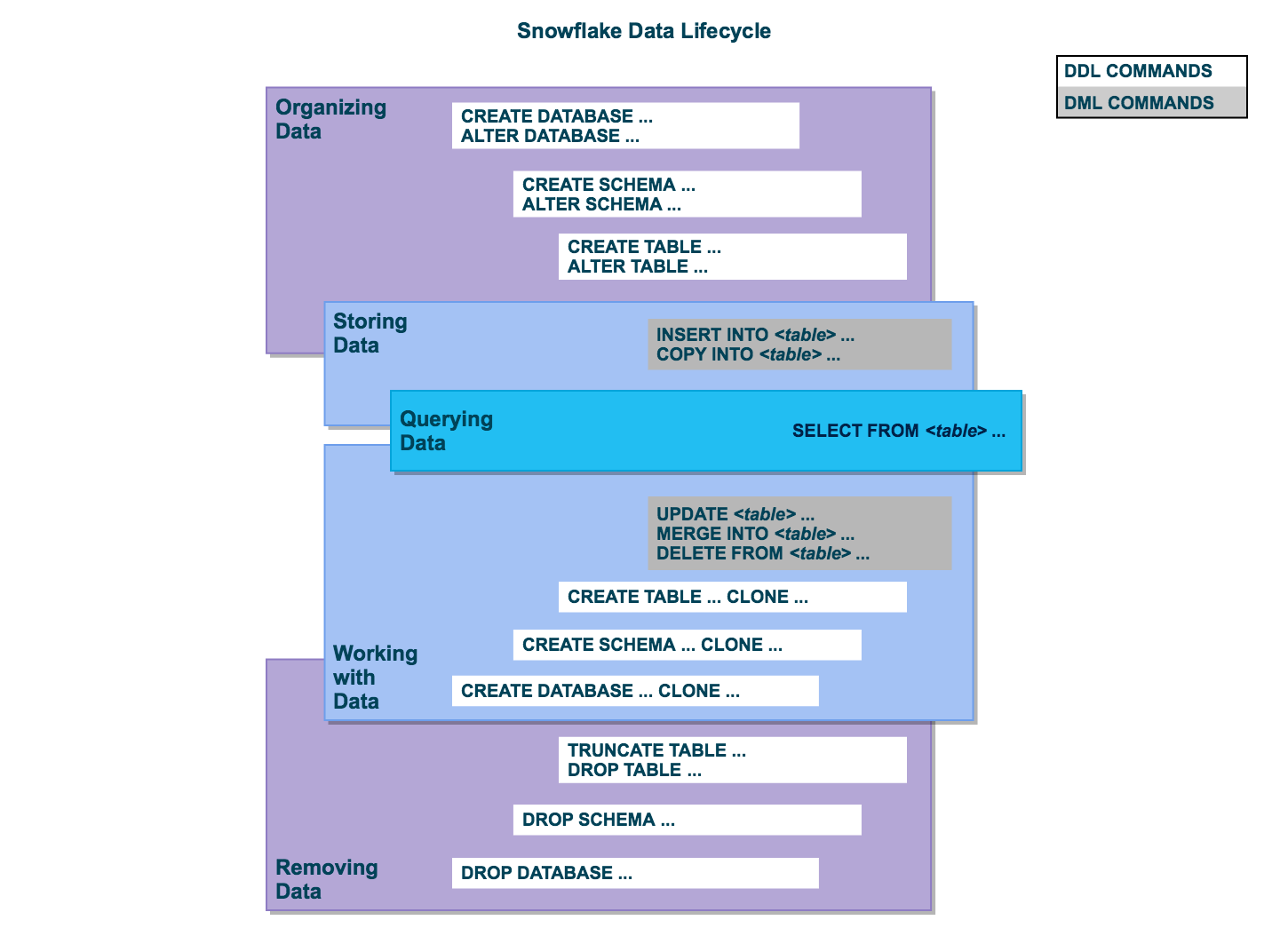
All user data in Snowflake is logically represented as tables that you can query and modify through standard SQL interfaces. Each table belongs to a schema which in turn belongs to a database.
Organize data
You can organize your data into databases, schemas, and tables. Snowflake doesn’t limit the number of databases you can create or the number of schemas you can create within a database. Snowflake also doesn’t limit the number of tables you can create in a schema.
For more information, see the following topics:
Store data
데이터를 테이블에 직접 삽입할 수 있습니다. 또한, Snowflake는 형식이 지정된 외부 파일에서 Snowflake 테이블로 데이터를 로드할 수 있는 DML을 제공합니다.
For more information, see the following topics:
Query data
After data is stored in a table, you can issue SELECT statements to query the data.
자세한 내용은 SELECT 섹션을 참조하십시오.
Work with data
After data is stored in a table, you can perform all standard DML operations on the data. In addition, Snowflake supports DDL actions, such as cloning entire databases, schemas, and tables.
For more information, see the following topics:
Remove data
DML 명령, DELETE, 테이블에서 데이터 제거뿐만 아니라 전체 테이블을 자르거나 삭제할 수 있습니다. 전체 스키마와 데이터베이스를 삭제할 수도 있습니다.
For more information, see the following topics: