Snowflake Postgresインスタンスの作成
概要
You can create Snowflake Postgres instances by using either Snowsight or by executing Snowflake SQL statements. You can configure the size of the instance, the storage size, and the Postgres major version when creating an instance. You can also apply network policies to instances at creation time.
権限
Snowflake Postgresインスタンスを作成するには、アカウントに対する CREATE POSTGRES INSTANCE 権限を付与されたロールを使用する必要があります。この権限は、デフォルトで ACCOUNTADMIN ロールに付与されます。
この権限を他のロールに付与するには、 ACCOUNTADMIN ロールを持つユーザーが GRANT <権限> ... TO ROLE コマンドを実行します。
Postgresインスタンスの作成
Create メニューを使用するか、 Postgres Instances ページの Create ボタンを使用して、Postgresインスタンスを作成できます。
メインのCreateメニューを使用:
ナビゲーションメニューの上部で、
 ( Create )を選択します。
Postgres Instance を選択します。
インスタンスを構成します。
Create を選択します。
PostgresインスタンスページのCreateボタンを使用:
ナビゲーションメニューで Postgres を選択します。
Postgres Instances ページで、右上にある Create ボタンを選択します。
インスタンス構成を選択します。
Create を選択します。
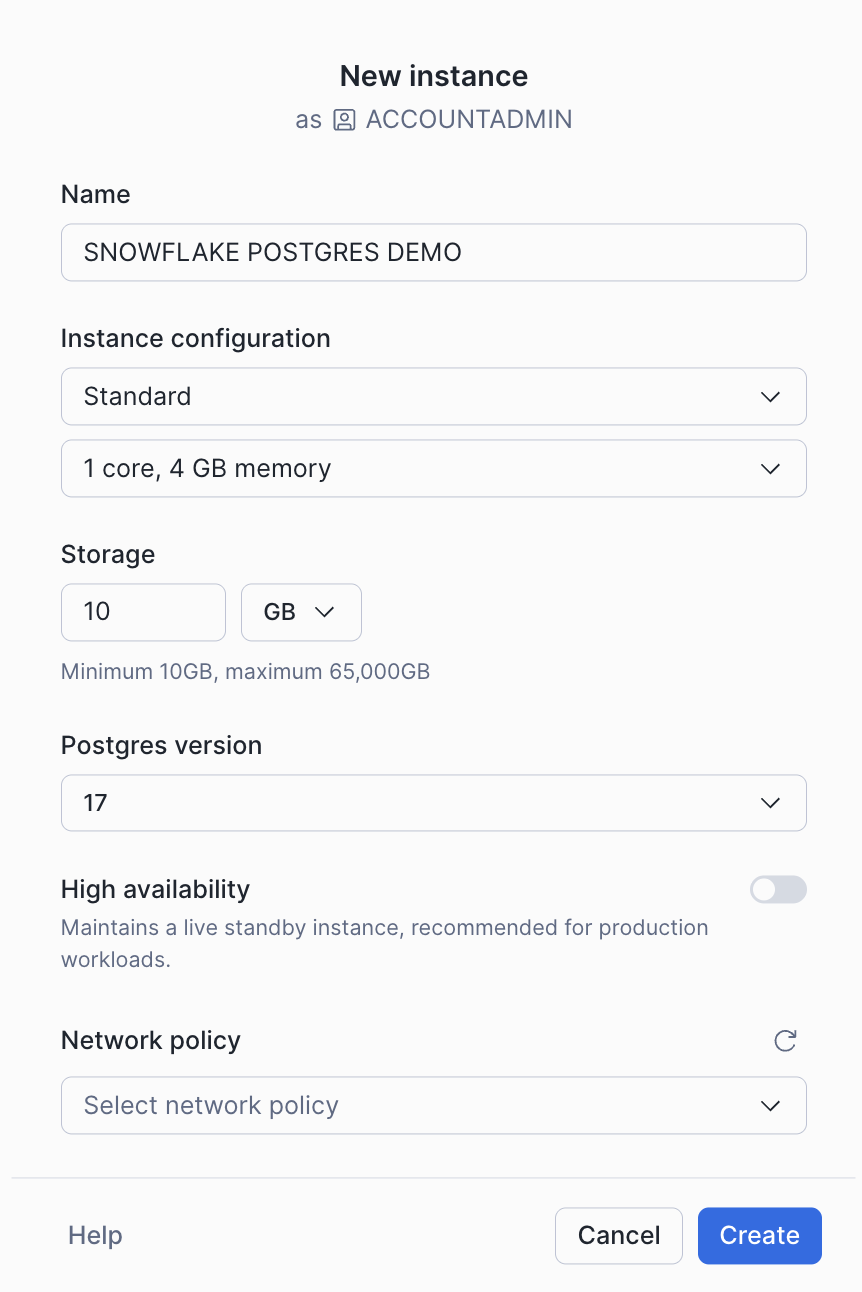
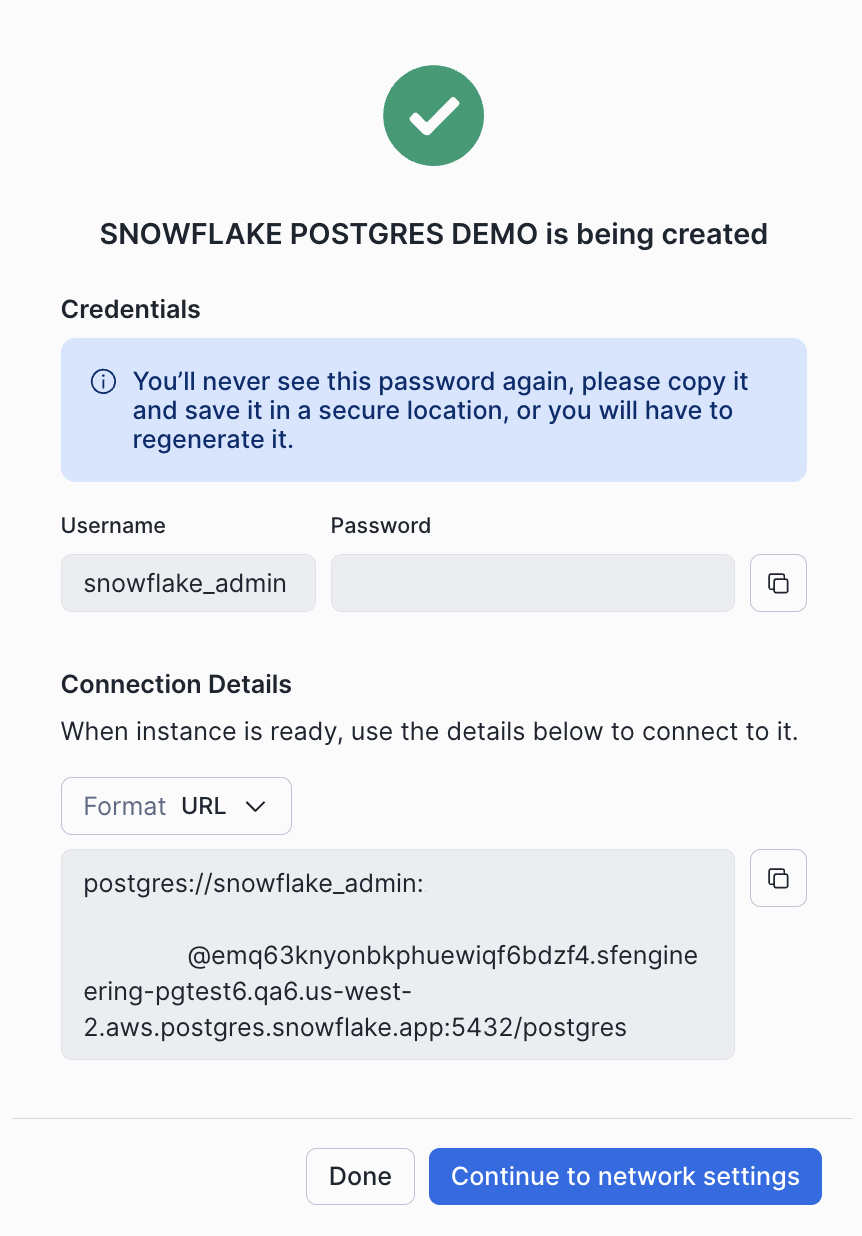
インスタンスを作成する際、インスタンスへの接続に必要なホスト名や認証情報などの接続の詳細が表示されます。これらの認証情報を安全な場所に保存します。これらは今後表示されません。必要に応じて、後で認証情報を再生成できます。
ネットワークポリシーを選択しなかった場合は、インスタンス詳細ページでネットワーク設定を構成するオプションを利用できます。詳細については、 Snowflake Postgresネットワーク をご参照ください。
Use the CREATE POSTGRES INSTANCE command to create a new Postgres instance. The syntax of this command is shown below:
コマンドパラメーターの場合:
COMPUTE_FAMILY = compute_familySnowflake Postgresインスタンスサイズ テーブルからインスタンスサイズの名前を指定します。
STORAGE_SIZE_GB = storage_gbストレージサイズを指定します( GB 単位)。10~65,535の間である必要があります。
AUTHENTICATION_AUTHORITY = POSTGRESインスタンスへの認証方法を決定します。現在、利用可能なオプションは
POSTGRESのみですが、SNOWFLAKEなどの他の認証方法も今後サポートされる可能性があります。POSTGRES_VERSION = { 16 | 17 | 18 }使用するPostgresのバージョンを指定します。
デフォルト: Postgresの最新バージョン。
NETWORK_POLICY = 'network_policy'Specifies the network policy to use for the instance. To specify this parameter, you must have been granted the USAGE privilege on the NETWORK_POLICY object.
Default: No network policy is applied. A network policy will need to be configured before the instance can be reached. See Snowflake Postgresネットワーク for more information.
HIGH_AVAILABILITY = { TRUE | FALSE }インスタンスの高可用性を有効にするかどうかを指定します。
デフォルト:
FALSEPOSTGRES_SETTINGS = 'json_string'Allows you to optionally set Postgres configuration parameters on your instance in JSON format. See Snowflake Postgresのサーバー設定 for a list of available Postgres parameters.
デフォルト:カスタムPostgres構成パラメーターは設定されていません。
COMMENT = 'string_literal'Postgresインスタンスのコメントを指定します。
デフォルト:
NULL
インスタンスを作成すると、次の列を持つ1行が返されます。
statushostaccess_rolesdefault_database
access_roles 列には、 snowflake_admin および application ロール両方のユーザー名とパスワードが含まれています。これらの詳細は後で取得できないため、安全な場所に保存します。
Creating a new instance takes some time to complete. The instance displays its current state as it is building. See the list of instance states for details about the states that you see while instances are being created.