Quick start for Snowflake AIM for Data Warehouses App
Prerequisites
Ensure the following are installed on your platform:
- Python
- Git
- Snowflake CoCo CLI
- Snowflake CLI
- Download links for the Snowflake AIM for Data Warehouses app:
Starting the Snowflake AIM for Data Warehouses app for the first time
-
After installing and starting the app for the first time, you will see something like this
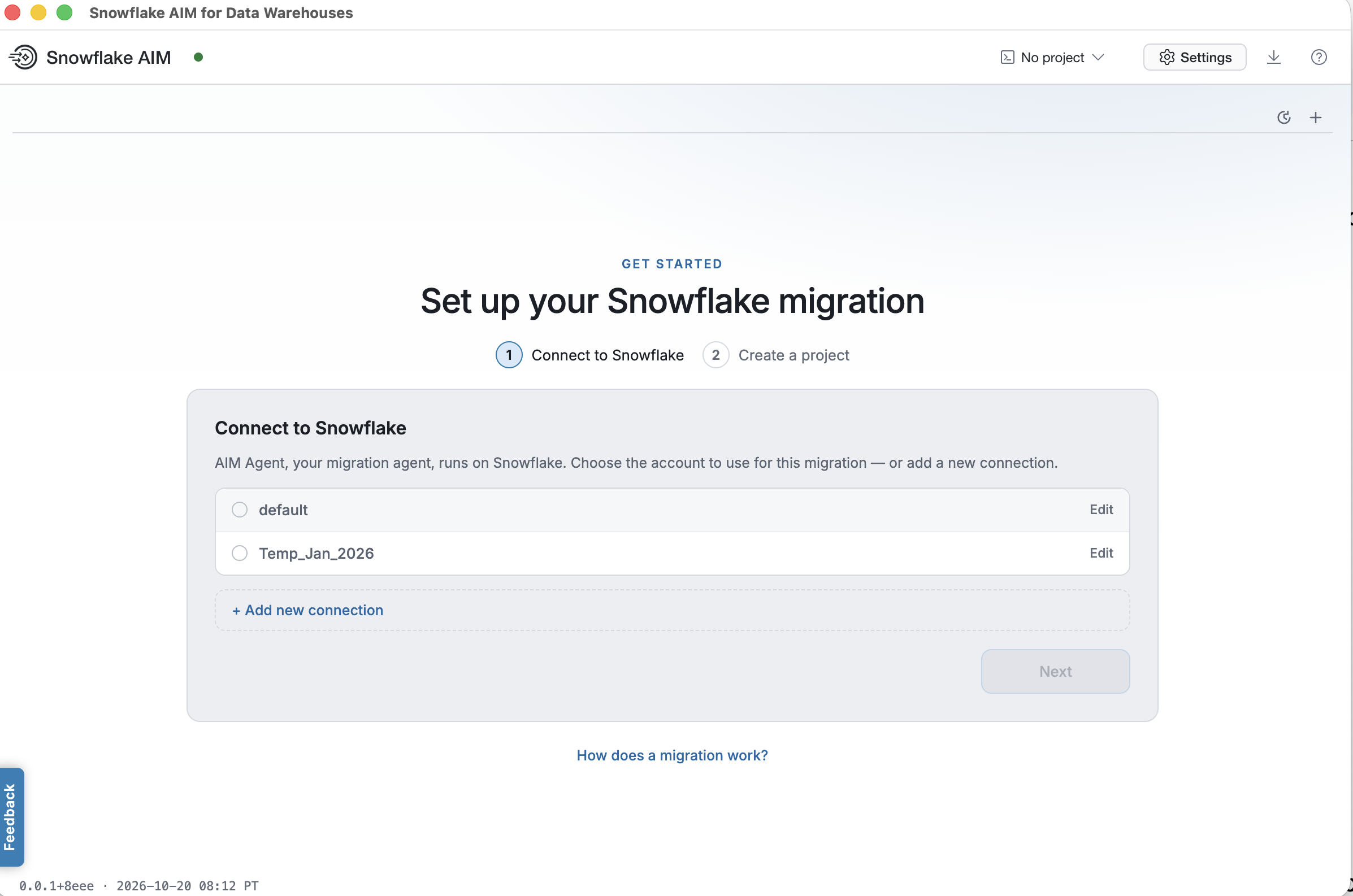 If you have been using CoCo or Snowflake locally in your environment, you will see a list of Snowflake connections you’ve defined previously. Otherwise, you’ll need to click “+ Add new connection” to define one.
Either way, a connection to a Snowflake account that allows you to use CoCo CLI is required.
If you have been using CoCo or Snowflake locally in your environment, you will see a list of Snowflake connections you’ve defined previously. Otherwise, you’ll need to click “+ Add new connection” to define one.
Either way, a connection to a Snowflake account that allows you to use CoCo CLI is required. -
After you click Next, the app will test your connection and make sure you have access to CoCo as shown below:
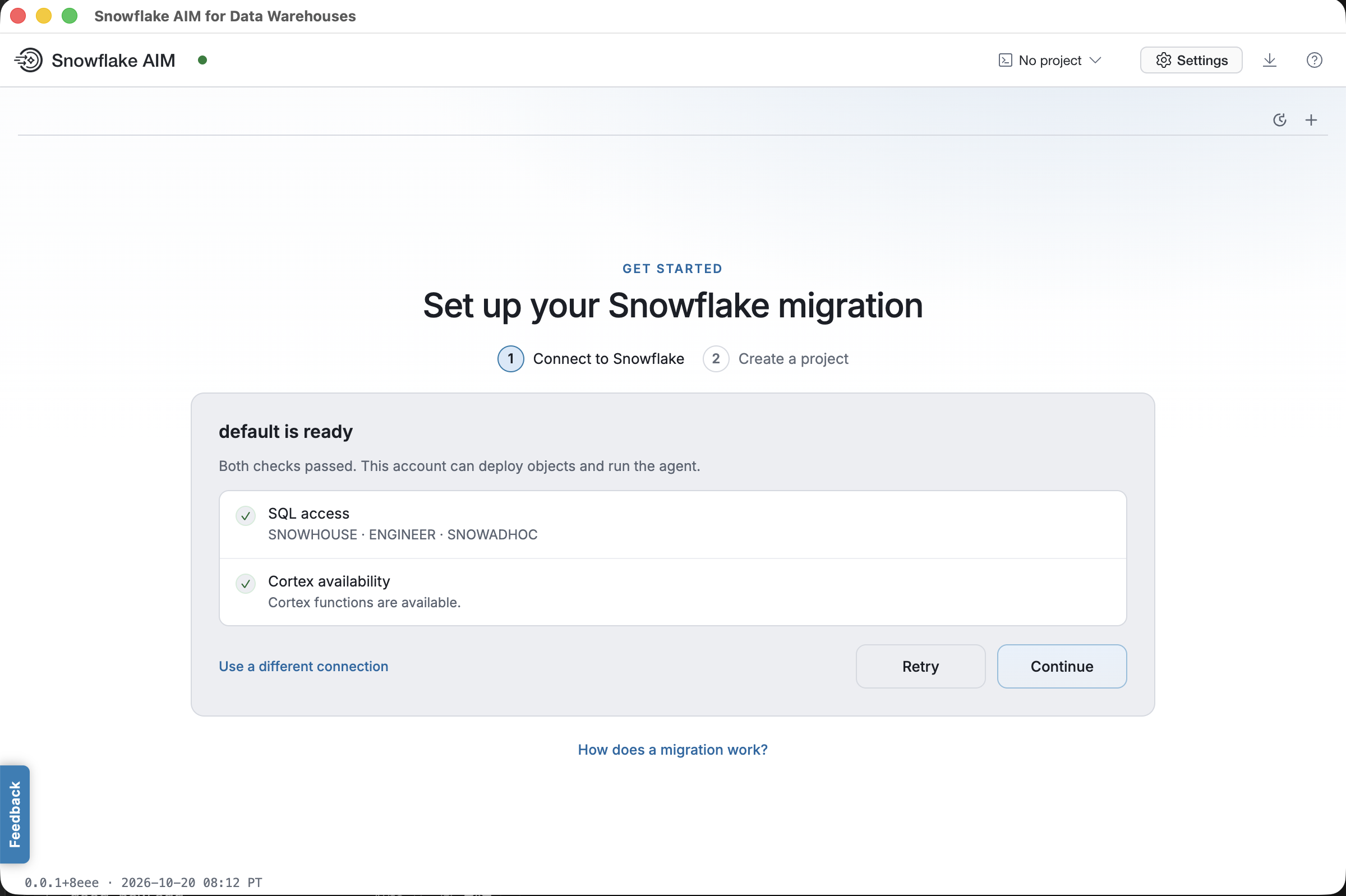
- Once your connection is verified and you click Continue, you will be asked to start a project as show below:
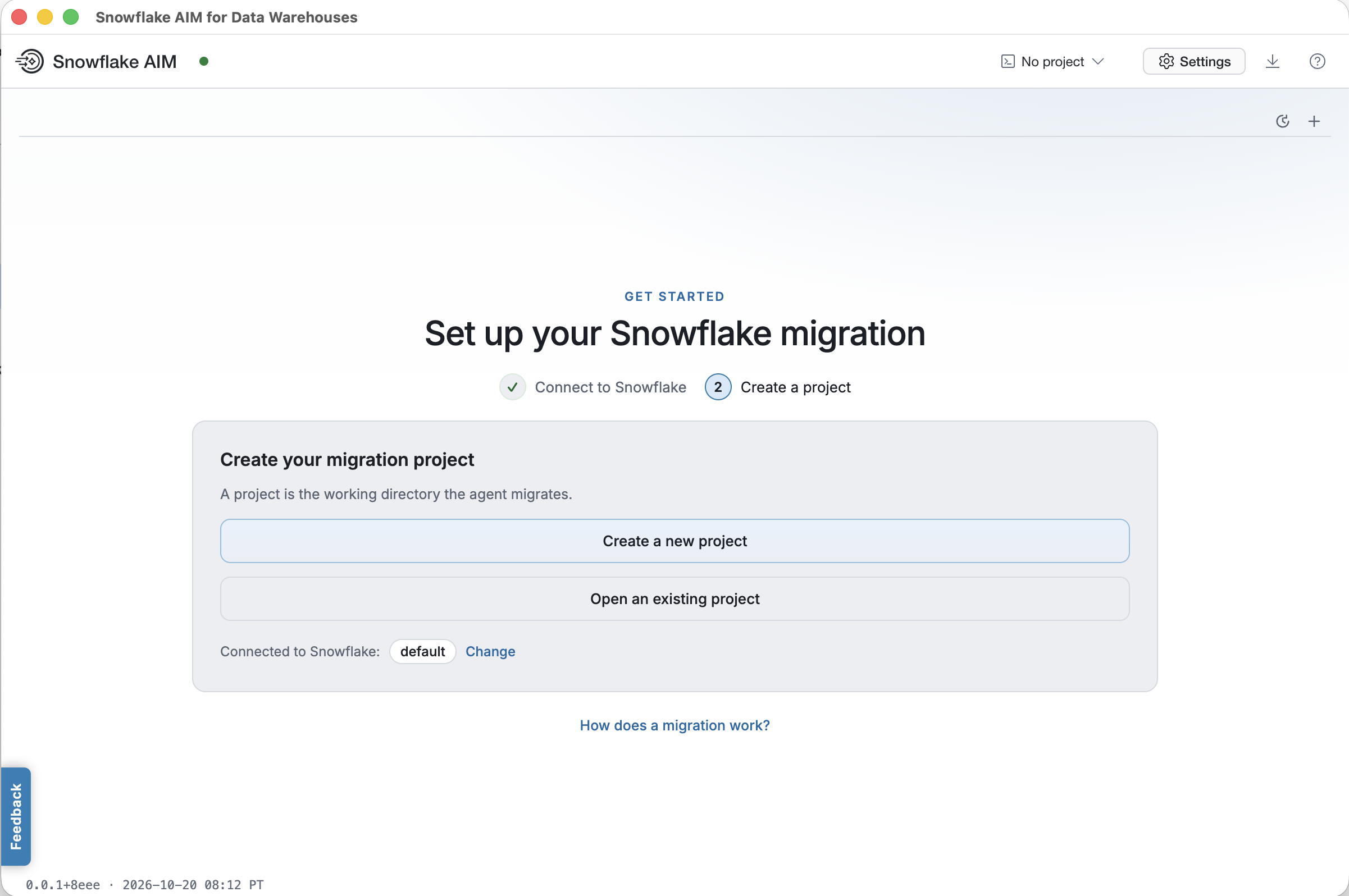
Since this is the first time you are using this app, click on “Create a new project”. You will be presented with the following dialog
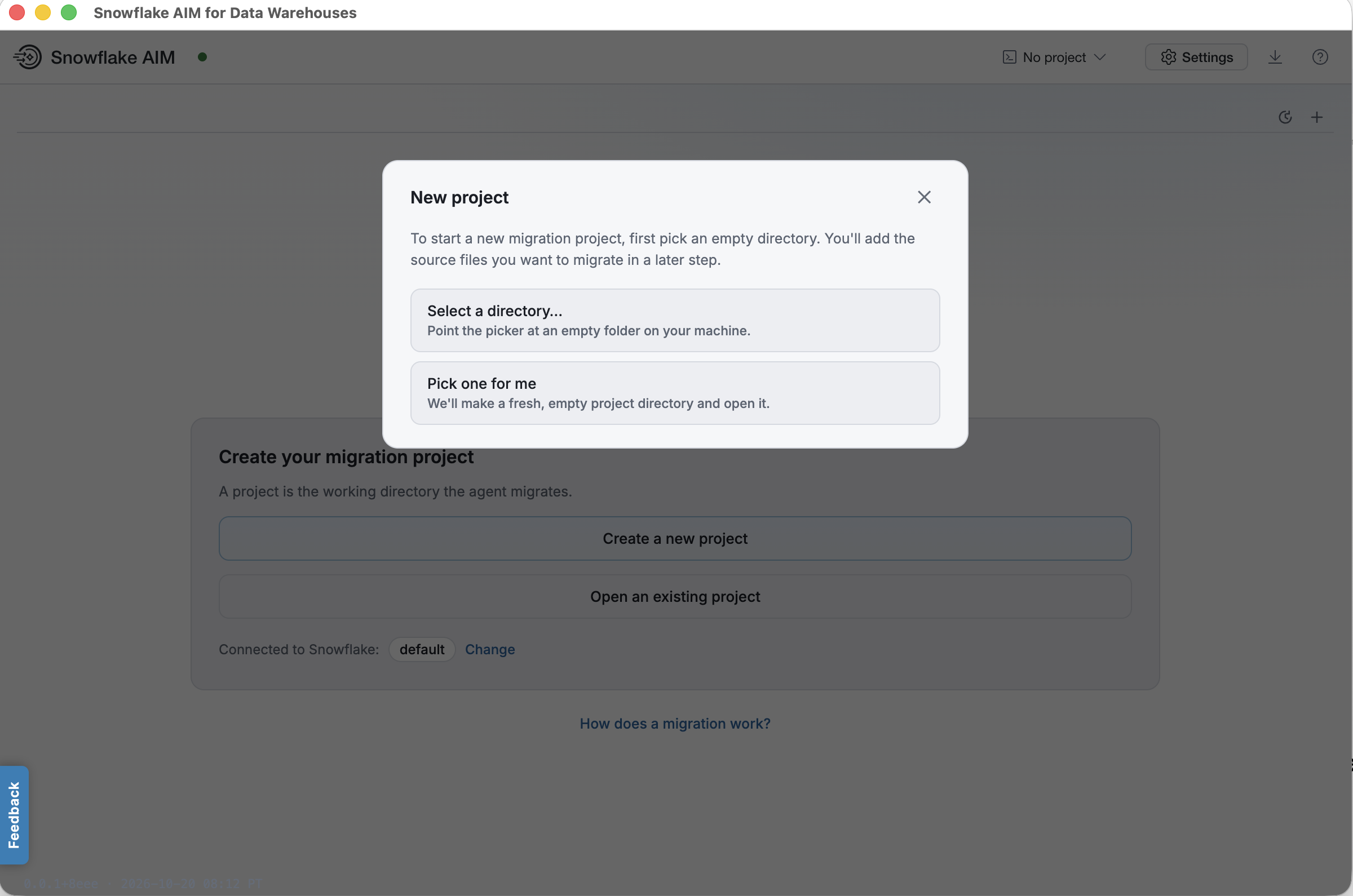
If you select “Pick one for me”, a new project folder will be created under ~/.scai/projects If you want to decide where you want the project folder to be, click on “Select a directory…” and in the subsequent dialog, create a new folder in the desired location
- Once the project folder is determined, AIM will guide you through your project
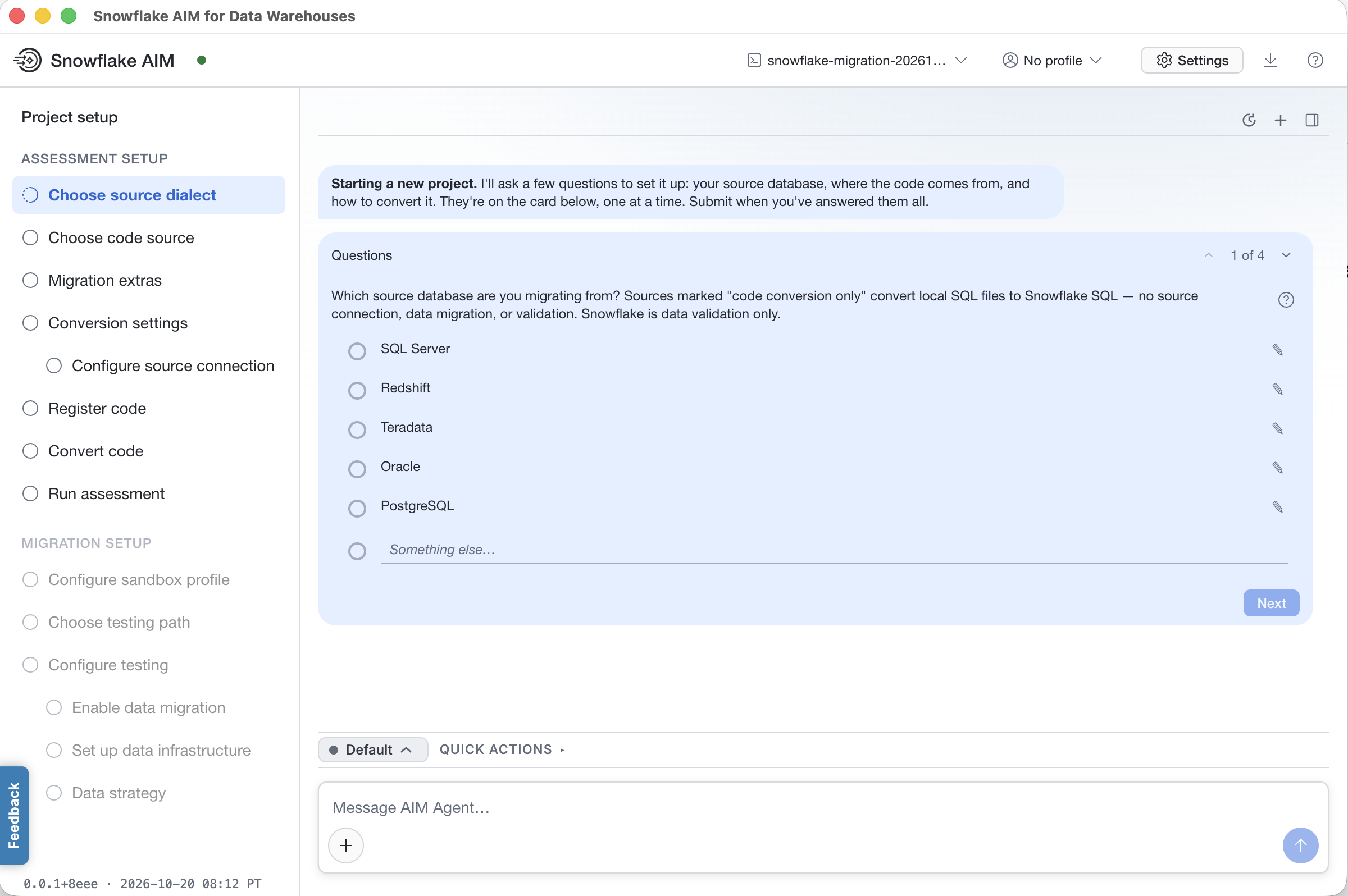
Note the left panel that shows you what stage in the project setup you are at. Once you complete setup and go through the migration, the left panel will contextually update.
At this point, simply follow the AIM agent’s guidance. If you’re not sure what the project status is or what you should do next, you can always ask the AIM agent a question such as “What’s the current project status?” or “What’s next?”
Providing feedback
In the screenshots above, you may have noticed a “Feedback” button in blue to the left of the app. This provides a way for you to report a bug or to provide any feedback, which we would greatly appreciate. If you click on it, an inline dialog will appear as follows
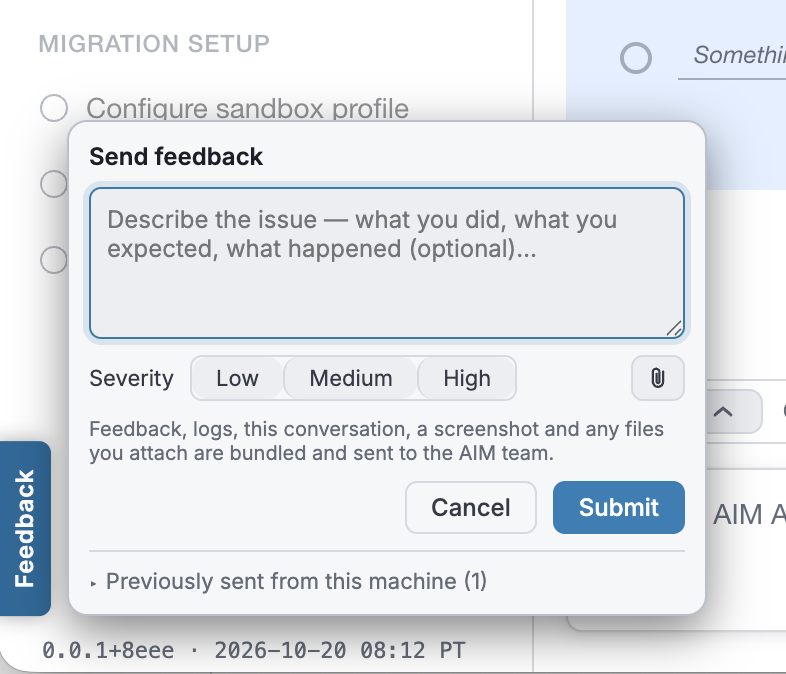
Simply type your bug report of feedback and click Submit. A zip file will be created in the Downloads folder of your environment. The zip file will include
- Your textual feedback
- A screenshot of the app
- Your session history
- Any files you attach
Please email the zip file to aim-feedback@snowflake.com
Legal Notices
The Snowflake AIM for Data Warehouses App is Client Software governed by your Agreement with Snowflake. Unlike Snowconvert AI, the Snowflake AIM for Data Warehouses App is not subject to the Conversion Software Terms of Use.