Snowpark Migration Accelerator : Guide d’exécution SMA

Entrée PySpark

La fonctionnalité SMA-Checkpoints nécessite une charge de travail PySpark comme point d’entrée, car elle dépend de la détection de l’utilisation des DataFrames PySpark. Ce tutoriel vous guidera dans l’utilisation de la fonctionnalité à l’aide d’un seul script Python, fournissant un exemple simple de la façon dont les points de contrôle sont générés et utilisés dans un workflow PySpark standard.

Charge de travail d’entrée

Charge de travail d'entrée

Exemple de contenu de fichier .py

from pyspark.sql import SparkSession
from pyspark.sql import functions as F

spark = SparkSession.builder.appName("SparkFunctionsExample2").getOrCreate()

df1 = spark.createDataFrame([("Alice", "NY"), ("Bob", "LA")], ["name", "city"])
df2 = spark.createDataFrame([(10,), (20,)], ["number"])

df1_with_index = df1.withColumn("index", F.monotonically_increasing_id())
df2_with_index = df2.withColumn("index", F.monotonically_increasing_id())

df3 = df1_with_index.join(df2_with_index, on="index").drop("index")
df3.show()

Migration de la charge de travail

Fonctionnalité activée

If the SMA-Checkpoints feature is enabled, a checkpoints.json file will be generated. If the feature is disabled, this file will not be created in either the input or output folders. Regardless of whether the feature is enabled, the following inventory files will always be generated: DataFramesInventory.csv and CheckpointsInventory.csv. These files provide metadata essential for analysis and debugging.

Processus de conversion

To create a convert your own project please follow up the following guide: SMA User Guide.

Paramètres de la fonctionnalité SMA-Checkpoints

As part of the conversion process you can customize your conversion settings, take a look on the SMA-Checkpoints feature settings.

Remarque : ce guide de l’utilisateur a utilisé les paramètres de conversion par défaut.

Résultats de la conversion

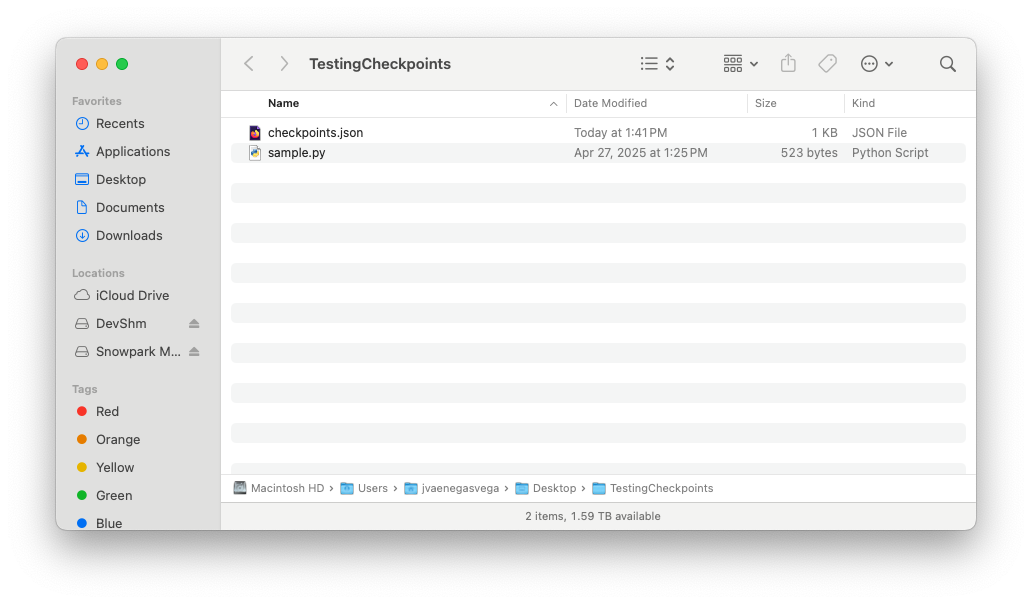
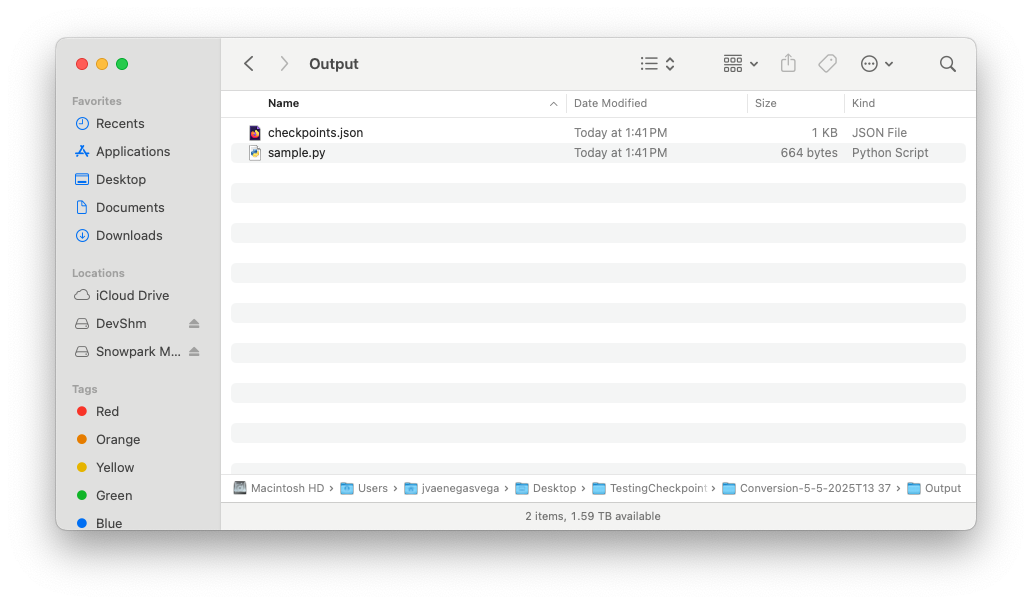
Once the migration process is complete, the SMA-Checkpoints feature should have created two new inventory files and added a checkpoints.json file to both the input and output folders.

Take a look on SMA-Checkpoints inventories to review the related inventories.

Dossier d’entrée

Dossier d'entrée

Contenu du fichier checkpoints.json

{
  "createdBy": "Snowpark Migration Accelerator",
  "comment": "This file was automatically generated by the SMA tool as checkpoints collection was enabled in the tool settings. This file may also be modified or deleted during SMA execution.",
  "type": "Collection",
  "pipelines": [
    {
      "entryPoint": "sample.py",
      "checkpoints": [
        {
          "name": "sample$BBVOC7$df1$1",
          "file": "sample.py",
          "df": "df1",
          "location": 1,
          "enabled": true,
          "mode": 1,
          "sample": "1.0"
        },
        {
          "name": "sample$BBVOC7$df2$1",
          "file": "sample.py",
          "df": "df2",
          "location": 1,
          "enabled": true,
          "mode": 1,
          "sample": "1.0"
        },
        {
          "name": "sample$BBVOC7$df3$1",
          "file": "sample.py",
          "df": "df3",
          "location": 1,
          "enabled": true,
          "mode": 1,
          "sample": "1.0"
        }
      ]
    }
  ]
}

Dossier de sortie

Dossier de sortie

Contenu du fichier checkpoints.json

{
  "createdBy": "Snowpark Migration Accelerator",
  "comment": "This file was automatically generated by the SMA tool as checkpoints collection was enabled in the tool settings. This file may also be modified or deleted during SMA execution.",
  "type": "Validation",
  "pipelines": [
    {
      "entryPoint": "sample.py",
      "checkpoints": [
        {
          "name": "sample$BBVOC7$df1$1",
          "file": "sample.py",
          "df": "df1",
          "location": 1,
          "enabled": true,
          "mode": 1,
          "sample": "1.0"
        },
        {
          "name": "sample$BBVOC7$df2$1",
          "file": "sample.py",
          "df": "df2",
          "location": 1,
          "enabled": true,
          "mode": 1,
          "sample": "1.0"
        },
        {
          "name": "sample$BBVOC7$df3$1",
          "file": "sample.py",
          "df": "df3",
          "location": 1,
          "enabled": true,
          "mode": 1,
          "sample": "1.0"
        }
      ]
    }
  ]
}

Once the SMA execution flow is complete and both the input and output folders contain their respective checkpoints.json files, you are ready to begin the Snowpark-Checkpoints execution process.