Snowpark Migration Accelerator:SMA実行ガイド

PySpark 入力

SMAチェックポイント機能は、PySpark DataFramesの使用を検出することに依存するため、そのエントリーポイントとしてPySparkワークロードを必要とします。このウォークスルーでは、Pythonスクリプトを1つ使用して、チェックポイントがどのように生成され、典型的なPySparkワークフローで利用されるかのわかりやすい例を示しながら、この機能を説明します。

入力ワークロード

入力ワークロード

Sample.pyファイルの内容

from pyspark.sql import SparkSession
from pyspark.sql import functions as F

spark = SparkSession.builder.appName("SparkFunctionsExample2").getOrCreate()

df1 = spark.createDataFrame([("Alice", "NY"), ("Bob", "LA")], ["name", "city"])
df2 = spark.createDataFrame([(10,), (20,)], ["number"])

df1_with_index = df1.withColumn("index", F.monotonically_increasing_id())
df2_with_index = df2.withColumn("index", F.monotonically_increasing_id())

df3 = df1_with_index.join(df2_with_index, on="index").drop("index")
df3.show()
Copy

ワークロードの移行

有効機能

SMAチェックポイント機能が有効な場合、 checkpoints.json ファイルが生成されます。この機能が無効の場合、このファイルは入力フォルダにも出力フォルダにも作成されません。この機能が有効かどうかに関わらず、インベントリファイル DataFramesInventory.csv および CheckpointsInventory.csv が常に生成されます。これらのファイルは、分析やデバッグに不可欠なメタデータを提供します。

変換プロセス

独自のプロジェクトを作成するには、以下のガイドに従ってください。 SMAユーザーガイド

SMA-チェックポイント機能設定

変換プロセスの一環として、変換設定をカスタマイズすることができます。 SMAチェックポイント 機能設定をご参照ください。

注意: このユーザーガイドでは、デフォルトの変換設定を使用しています。

変換結果

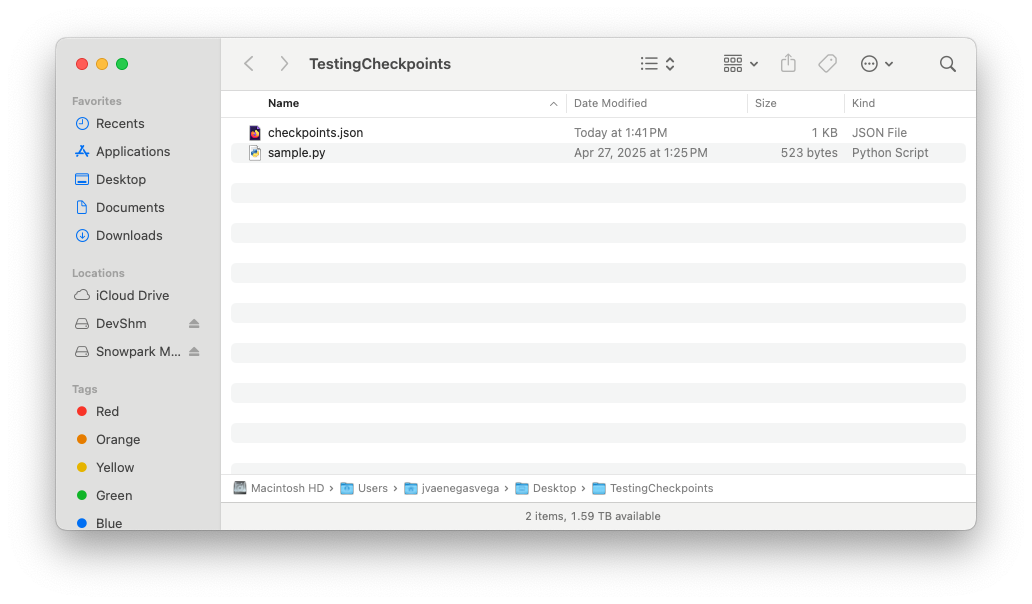
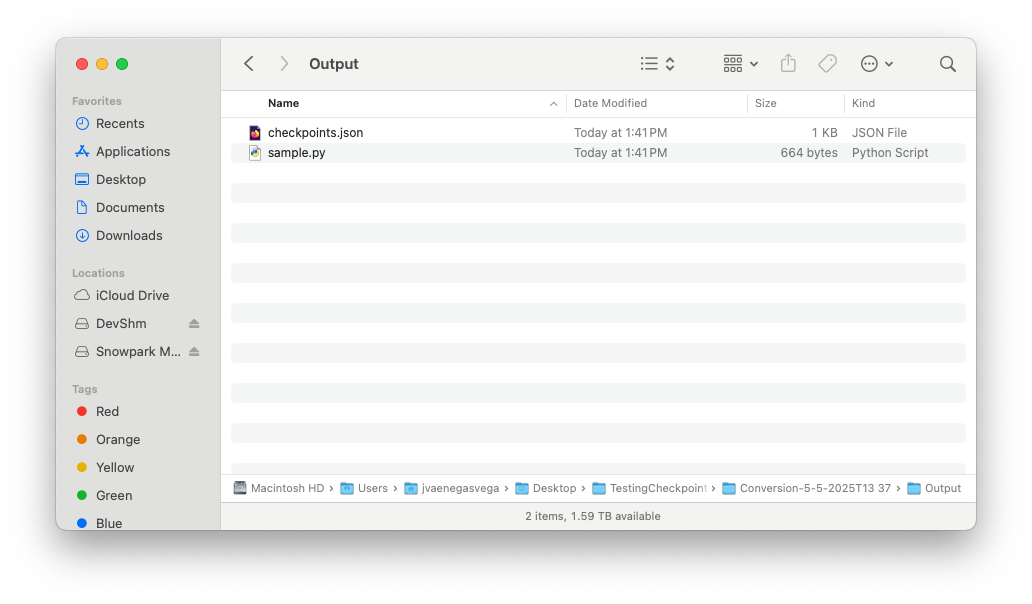
移行プロセスが完了すると、SMAチェックポイント機能は2つの新しいインベントリファイルを作成し、 checkpoints.json ファイルを入力と出力の両方のフォルダに追加しているはずです。

SMAチェックポイントインベントリ を見て、関連するインベントリを確認してください。

入力フォルダー

入力フォルダー

checkpoints.jsonファイルの内容

{
  "createdBy": "Snowpark Migration Accelerator",
  "comment": "This file was automatically generated by the SMA tool as checkpoints collection was enabled in the tool settings. This file may also be modified or deleted during SMA execution.",
  "type": "Collection",
  "pipelines": [
    {
      "entryPoint": "sample.py",
      "checkpoints": [
        {
          "name": "sample$BBVOC7$df1$1",
          "file": "sample.py",
          "df": "df1",
          "location": 1,
          "enabled": true,
          "mode": 1,
          "sample": "1.0"
        },
        {
          "name": "sample$BBVOC7$df2$1",
          "file": "sample.py",
          "df": "df2",
          "location": 1,
          "enabled": true,
          "mode": 1,
          "sample": "1.0"
        },
        {
          "name": "sample$BBVOC7$df3$1",
          "file": "sample.py",
          "df": "df3",
          "location": 1,
          "enabled": true,
          "mode": 1,
          "sample": "1.0"
        }
      ]
    }
  ]
}
Copy

出力フォルダー

出力フォルダー

checkpoints.jsonファイルの内容

{
  "createdBy": "Snowpark Migration Accelerator",
  "comment": "This file was automatically generated by the SMA tool as checkpoints collection was enabled in the tool settings. This file may also be modified or deleted during SMA execution.",
  "type": "Validation",
  "pipelines": [
    {
      "entryPoint": "sample.py",
      "checkpoints": [
        {
          "name": "sample$BBVOC7$df1$1",
          "file": "sample.py",
          "df": "df1",
          "location": 1,
          "enabled": true,
          "mode": 1,
          "sample": "1.0"
        },
        {
          "name": "sample$BBVOC7$df2$1",
          "file": "sample.py",
          "df": "df2",
          "location": 1,
          "enabled": true,
          "mode": 1,
          "sample": "1.0"
        },
        {
          "name": "sample$BBVOC7$df3$1",
          "file": "sample.py",
          "df": "df3",
          "location": 1,
          "enabled": true,
          "mode": 1,
          "sample": "1.0"
        }
      ]
    }
  ]
}
Copy

SMA実行フローが完了し、入力フォルダーと出力フォルダーの両方にそれぞれの checkpoints.json ファイルが格納されると、Snowparkチェックポイント実行プロセスを開始する準備が整います。