Snowpark Migration Accelerator:Snowflakeとの出力共有
Snowpark Migration Accelerator(SMA)は、Snowflakeによって作成されたスタンドアロンツールです。メインのSnowflakeサービスとは独立して動作しますが、ツールの使用状況に関する基本的な使用統計を収集します。ご安心ください。SMA がご使用のソースコードの詳細を収集したり送信したりすることはありません。
レポートの共有
ローカルで生成したコードやレポートを SMA チームと共有するには(トラブルシューティング、製品の改善、または詳細な分析のため)、以下の方法を使用できます。
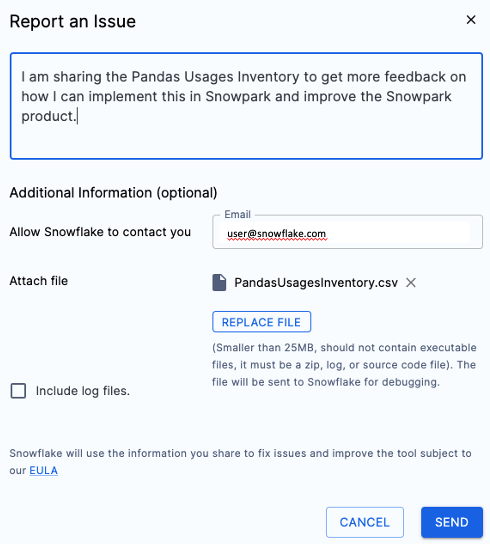
In the tool - Use the Report an Issue feature to notify the SMA support team. You can select specific information to share, attach files, and provide a description of your issue or inquiry.
明示的(メールによる) - ファイルと情報を直接メールで送信します。これは最も簡単な方法です。
Before sharing any report, you must complete some initial steps. Let's demonstrate this process using the PandasUsagesInventory.csv report as an example.
Run the SMA Assessment or Conversion - If you need help with code conversion or want to analyze your code, visit the getting started guide to learn how to set up and use the Snowpark Migration Accelerator (SMA).
ファイルを探す - 共有するファイルを探します。これらは通常、評価結果の場合はReportsディレクトリに、変換されたコードの場合はOutputディレクトリにあります。
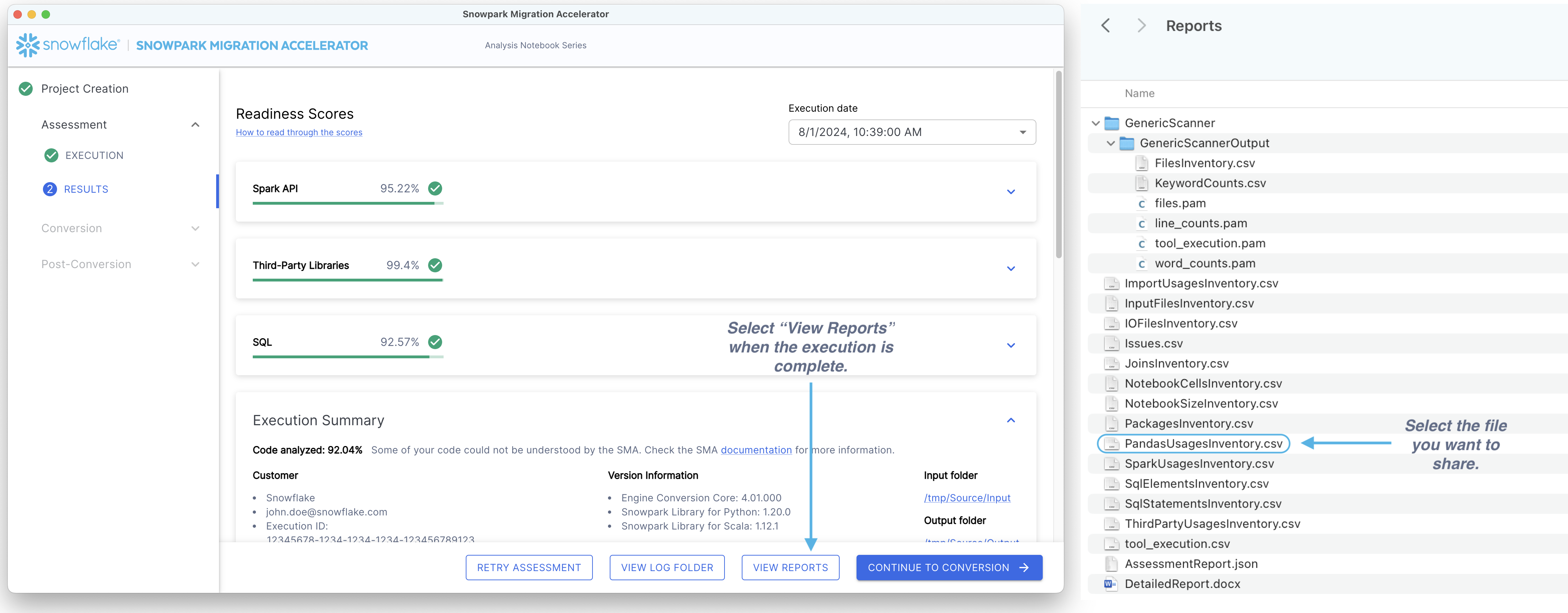
共有するファイルを選択する - 複数のファイルを共有する場合は、個々のファイルを個別に共有するのではなく、zipファイルを作成することをお勧めします。
Share the file(s) - You can share files in two ways: 1. Using the tool: Access the Report an Issue option from the help menu. Add a brief description explaining the shared content and attach your file(s).
Via Email: Send your file(s) to sma-info@snowflake.com along with an explanation of why you're sharing them.
コンピューターのフォルダーを閲覧するのと同じくらい簡単です。