- description:
Giving access to the configuration folder for SMA varies by OS.
Snowpark Migration Accelerator: How do I give SMA permission to the config folder?
SMA requires specific folder permissions to function correctly. It needs read, write, and execute access to:
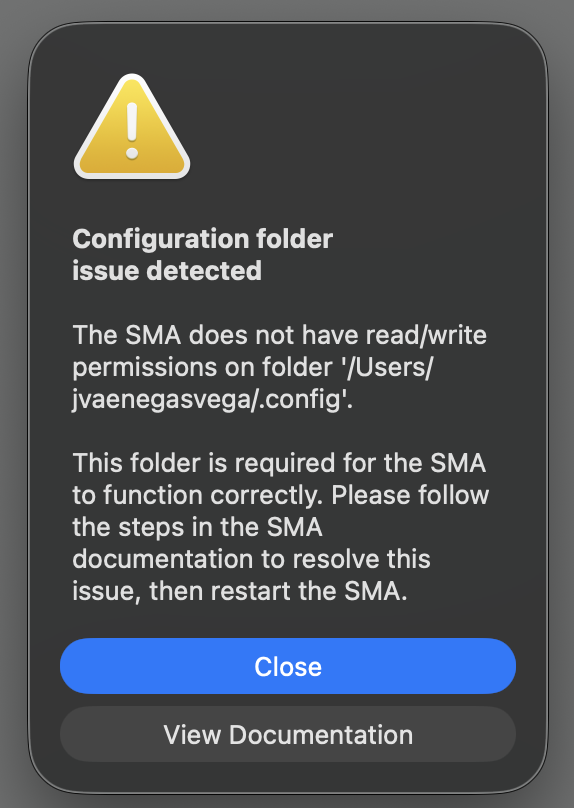
- macOS: The
.configfolder - Windows: The
AppDatafolder
These folders store essential SMA files including:
- Temporary files
- Log files
Please ensure SMA has full access to the appropriate folder for your operating system.
For macOS
- Open the Terminal by pressing cmd + spacebar, typing
Terminal, and pressing enter. - Navigate to your home directory by typing
cd ~and pressing enter. - Change the permissions of the .config directory by typing
chmod 777 .config. If you see “Operation not permitted,” usesudo chmod 777 .configinstead. - Close the Terminal and restart the Snowpark Migration Accelerator (SMA).
For Windows
- Open the Run dialog window by pressing the Windows key and R key together.
- Enter
%AppData%in the Run dialog window and press Enter or click OK. - Find the “Snowflake Inc folder”, right-click on it, and verify that the Read-only checkbox under Attributes is unchecked.
.png)