Teradata - SnowConvert AI Scripts Helpers
SnowConvert AI Helpers is a set of classes with functions designed to facilitate the conversion of Teradata script files to Python files that Snowflake can interpret.
SnowConvert AI for Teradata can take in any Teradata SQL or scripts (BTEQ, FastLoad, MultiLoad, and TPump) and convert them to functionally equivalent Snowflake SQL, JavaScript embedded in Snowflake SQL, and Python. Any output Python code from SnowConvert AI will call functions from these helper classes to complete the conversion and create a functionally equivalent output in Snowflake.
The Snowflake Connector for Python will also be called to connect to your Snowflake account and run the output Python code created by SnowConvert.
For the latest version information, see the snowconvert-helpers PyPI page.
Note
The Python packagesnowconvert-helpers supports Python versions 3.6, 3.7, 3.8, and 3.9.
Script Migration
Source
Suppose you have the following BTEQ code to be migrated.
Output
You should get an output like the one below.
Note
The log_onfunction parameters (‘user’, ‘password’, ‘account’, ‘database’, ‘warehouse’, ‘role’, ‘token’) should be defined by the user.
Getting Started
To install the package, you should run the following command in your python environment. If you’re not familiar with installing packages in Python, visit the following page on python packages (https://packaging.python.org/tutorials/installing-packages/).
Once your package is installed, you will be able to run the script migrated code in Python.
Run the code
To run the migrated code, you just have to open the Command Prompt or the Terminal and execute the following command.
If the script has no errors, you will get in your console an output like the one below.
Passing connection parameters
There are several ways to pass the connection parameters to the connection of the database:
- As parameters in the function call snowconvert.helpers.log_on inside the python file.
- As positional parameters with the specific order of user, password, account, database, warehouse, and role when the python is being executed from the command line.
- As named parameters with no order restriction of SNOW_USER, SNOW_PASSWORD, SNOW_ACCOUNT, SNOW_DATABASE, SNOW_WAREHOUSE, SNOW_ROLE, SNOW_QUERYTAG, SNOWAUTHENTICATOR and SNOWTOKEN when the python is being executed from the command line and any of them are passed like –param-VARNAME=VALUE.
- As environment variables named SNOW_USER, SNOW_PASSWORD, SNOW_ACCOUNT, SNOW_DATABASE, SNOW_WAREHOUSE, SNOW_ROLE, SNOW_QUERYTAG, SNOWAUTHENTICATOR and SNOWTOKEN before python execution.
The previous order specified is the way to determine the precedence.
Parameters in the function call
They can be set as positional parameters in the function call as follows.
Or they can be set any of the named parameters in any order in the function call as follows.
Positional parameters
They need to be set in the specific order in the command line as follows.
Or they can be set only some of the parameters but always starting with the user parameter as follows.
Named parameters
They can be set any of the named parameters in any order in the command line as follows (use a single line, multiline shown for readability reasons).
Environment variables
Before calling the python script, any of the following environment variables can be set:
- SNOW_USER
- SNOW_PASSWORD
- SNOW_ACCOUNT
- SNOW_DATABASE
- SNOW_WAREHOUSE
- SNOW_ROLE
- SNOW_QUERYTAG
- SNOW_AUTHENTICATOR
- SNOW_TOKEN
- PRIVATE_KEY_PATH
- PRIVATE_KEY_PASSWORD
Key Pair Authentication
The log_on function can also support the key pair authentication process. Review the following Snowflake documentation for more information about the key creation . Please notice the required parameters:
log_on(
user='YOUR_USER',
account='YOUR_ACCOUNT',
role = 'YOUR_ROLE',
warehouse = 'YOUR_WAREHOUSE',
database = 'YOUR_DATABASE',
private_key_path='/YOUR_PATH/rsa_key.p8',
private_key_password='YOUR_PASSWORD')
Example of passing environment variables
Here is an example of using SNOW_AUTHENTICATOR, SNOW_USER and SNOW_PASSWORD. They must be defined before running the output python file and then run the python generated file.
Windows
Linux/Mac
Enabling Logging
To enable logging, you should enable an environment variable called SNOW_LOGGING set as true.
Then, if you want to customize the logging configuration you can pass a parameter to the snowconvert.helpers.configure_log() method like this:
The configuration file should contain the next structure. For more information, see the Python logging configuration documentation
Snowflake
Once any migrated code you have been executed, you can go to Snowflake and check your changes or deployments.
You will be able to see the rows you have inserted in the example above.

Local Helpers Documentation
First of all, it is required to install the python package named pydoc (Available since version 2.0.2 of snowconvert-helpers).
Then to display the python documentation of the package snowconvert-helpers, you should go to a folder where you have the converted output code and you have a python output.
Located in this directory you need to run:
The console will open your preferred browser with the HTML help of the documentation for all the installed packages.
This will open the browser with the documentation of your code like:
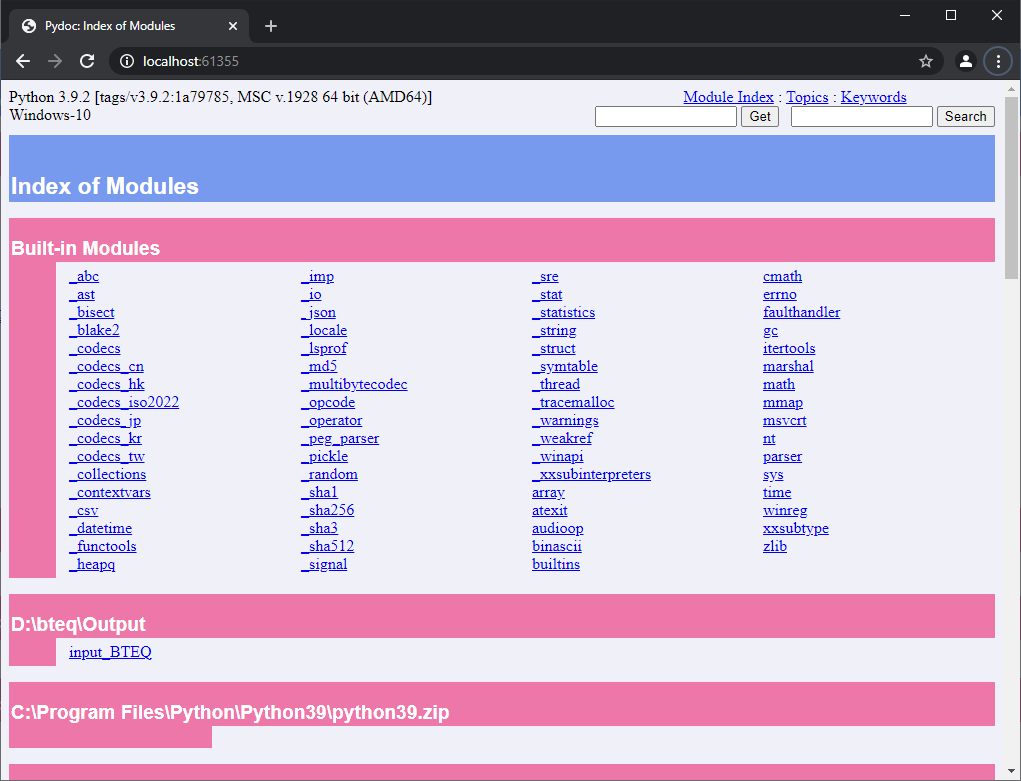
Scroll thru the end of the page to see the installed packages. And you will see something similar to:
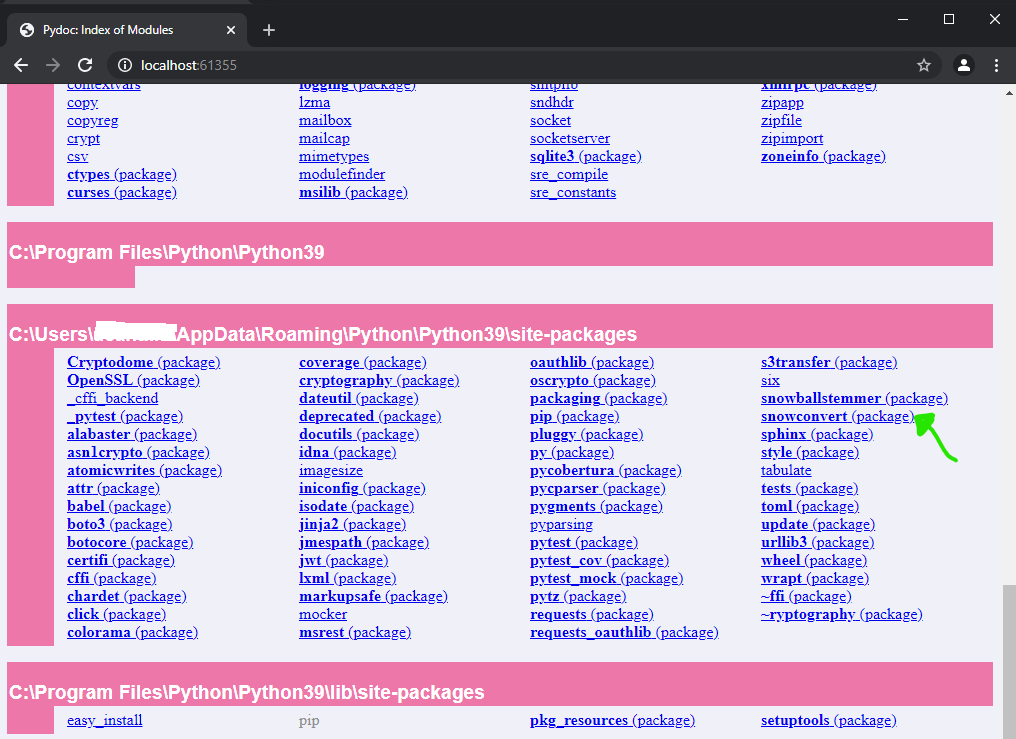
Clicking in the SnowConvert AI(package) you will see something like:
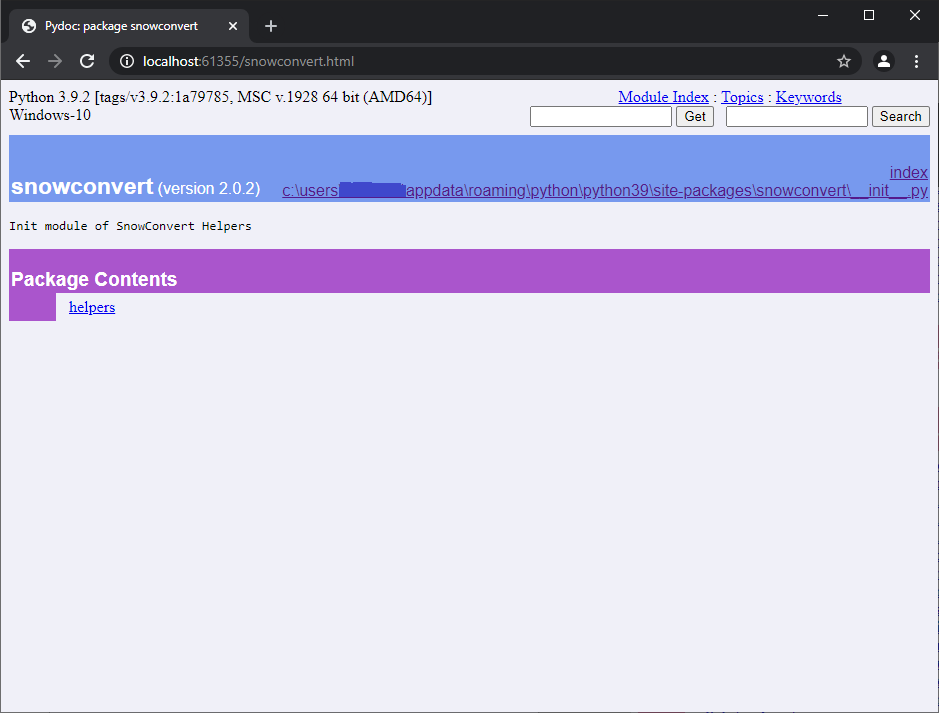
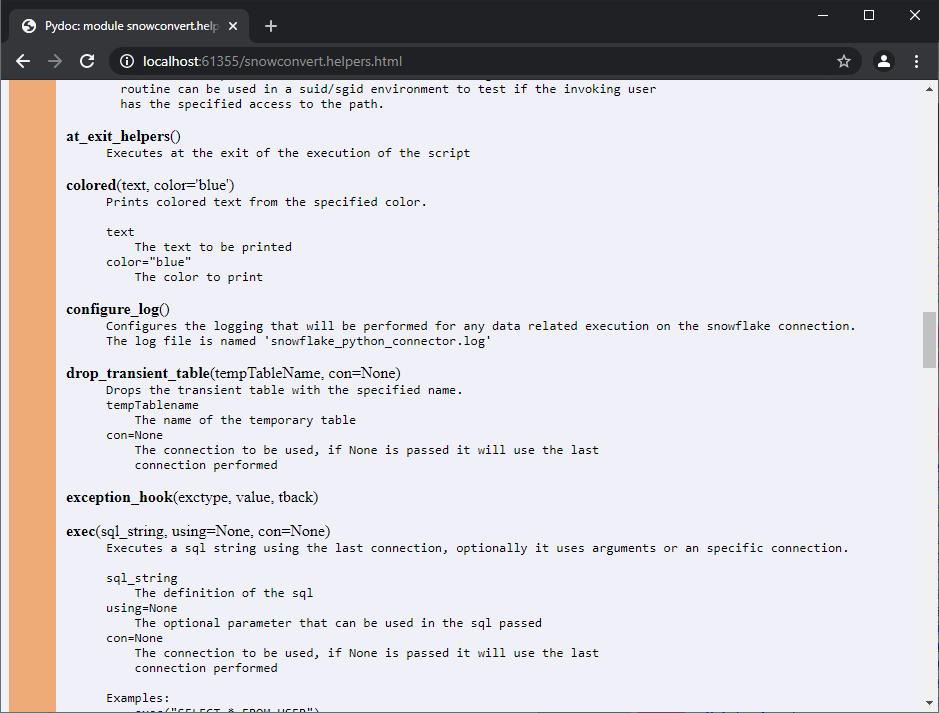
Clicking in the module helpers will display a screen similar to:
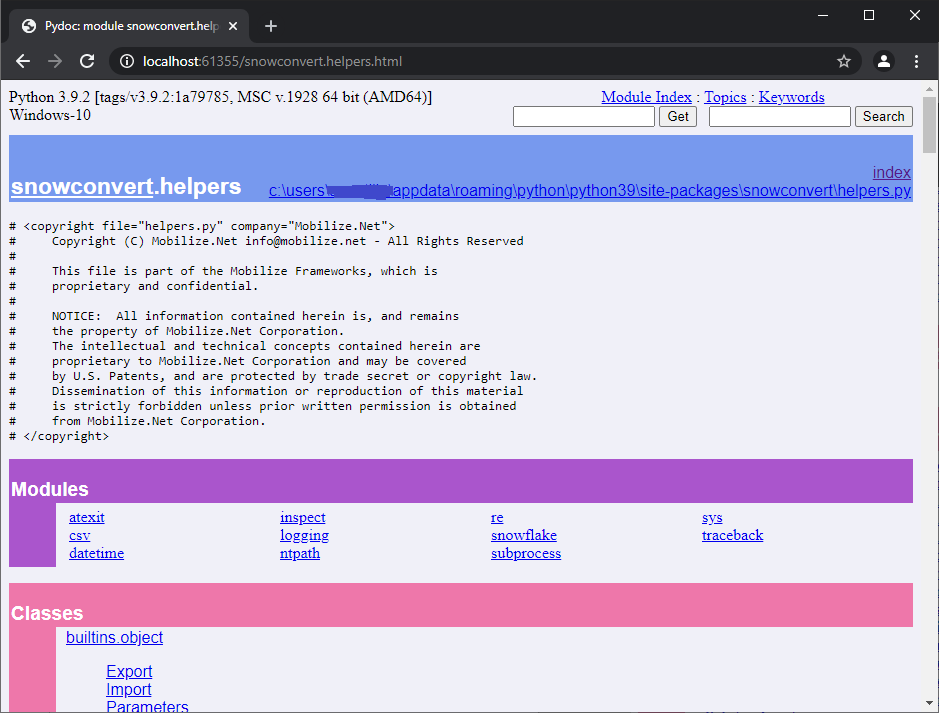
Then you can scroll thru the functions and classes of the module.
Known Issues 
No issues were found.
Related EWIs 
No related EWIs.
Technical Documentation
Functions
All the functions defined in the project.
access
Note
access(path, mode, *, dir_fd=None, effective_ids=False, follow_symlinks=True)
Description:
Use the real uid/gid to test for access to a path.
dir_fd, effective_ids, and follow_symlinks may not be implemented on your platform. If they are unavailable, using them will raise a NotImplementedError.
Note that most operations will use the effective uid/gid, therefore this routine can be used in a suid/sgid environment to test if the invoking user has the specified access to the path.
Parameters:
path,Path to be tested; can be string, bytes, or a path-like objectmode,Operating-system mode bitfield. Can be F_OK to test existence, or the inclusive-OR of R_OK, W_OK, and X_OKdir_fd,If not None, it should be a file descriptor open to a directory, and path should be relative; path will then be relative to that directoryeffective_ids,If True, access will use the effective uid/gid instead of the real uid/gidfollow_symlinks,If False, and the last element of the path is a symbolic link, access will examine the symbolic link itself instead of the file the link points to
at_
Note
at_exit_helpers()
Description:
Executes at the exit of the execution of the script.
colored
Note
colored(text, color='blue')
Description:
Prints colored text from the specified color.
Parameters:
text,The text to be printedcolor="blue",The color to print
configure_
Note
configure_log(configuration_path)
Description:
Configures the logging that will be performed for any data-related execution on the snowflake connection. The log file is named ‘snowflake_python_connector.log’ by default.
Parameters:
configuration_path,The configuration path of the file that contains all the settings desired for the logging
drop_
Note
drop_transient_table(tempTableName, con=None)
Description:
Drops the transient table with the specified name.
Parameters:
tempTableName,The name of the temporary tablecon=None,The connection to be used, if None is passed it will use the last connection performed
exception_
Note
exception_hook(exctype, value, tback)
Description:
Parameters:
exctypevaluetback
exec
Note
exec(sql_string, using=None, con=None)
Description:
Executes a sql string using the last connection, optionally it uses arguments or an specific connection. Examples:
exec("SELECT * FROM USER")exec("SELECT * FROM USER", con)exec("SELECT * FROM CUSTOMER WHERE CUSTOMERID= %S", customer)
Parameters:
sql_string,The definition of the sqlusing=None,The optional parameter that can be used in the sql passedcon=None,The connection to be used, if None is passed it will use the last connection performed
exec_
Note
exec_file(filename, con=None)
Description:
Reads the content of a file and executes the sql statements contained with the specified connection.
Parameters:
filename,The filename to be read and executedcon=None,The connection to be used, if None is passed it will use the last connection performed
exec_
Note
exec_os(command)
Description:
Executes a command in the operating system.
exec_
Note
exec_sql_statement(sql_string, con, using=None)
Description:
Executes a sql statement in the connection passed, with the optional arguments.
Parameters:
sql_string,The sql containing the string to be executedcon,The connection to be usedusing,The optional parameters to be used in the sql execution
expands_using_params
Note
expands_using_params(statement, params)
Description:
Expands the statement passed with the parameters.
Parameters:
statement,The sql containing the string to be executedparams,The parameters of the sql statement
expandvar
Note
expandvar(str)
Description:
Expands the variable from the string passed.
Parameters:
str,The string to be expanded with the variables
expandvars
Note
expandvars(path, params, skip_escaped=False)
Description:
Expand environment variables of form $var and ${var}. If parameter ‘skip_escaped’ is True, all escaped variable references (that is, preceded by backslashes) are skipped. Unknown variables are set to ‘default’. If ‘default’ is None, they are left unchanged.
Parameters:
path,params,skip_escaped=False,
fast_load
Note
fast_load(target_schema, filepath, stagename, target_table_name, con=None)
Description:
Executes the fast load with the passed parameters target_schema, filepath, stagename and target_table_name.
Parameters:
target_schema,The name of the schema to be used in the fast loadfilepath,The filename path to be loaded in the tabletarget_table_name,The name of the table that will have the data loadedcon=None,The connection to be used, if None is passed it will use the last connection performed
file_exists_and_readable
Note
file_exists_and_readable(filename)
Description:
Parameters:
filename,
get_argkey
Note
get_argkey(astr)
Description:
Gets the argument key value from the passed string. It must start with the string ‘–param-’
Parameters:
astr,The argument string to be used. The string should have a value similar to –param-column=32 and the returned string will be ’32
get_error_position
Note
get_error_position()
Description:
Gets the error position from the file using the information of the stack of the produced error.
get_from_vars_or_args_or_environment
Note
get_from_vars_or_args_or_environment(arg_pos, variable_name, vars, args)
Description:
Gets the argument from the position specified or gets the value from the table vars or gets the environment variable name passed.
Parameters:
arg_pos,The argument position to be used from the arguments parametervariable_name,The name of the variable to be obtainedvars,The hash with the variables names and valuesargs,The arguments array parameter
import_data_to_temptable
Note
import_data_to_temptable(tempTableName, inputDataPlaceholder, con)
Description:
Imports data to a temporary table using an input data place holder.
Parameters:
tempTableName,The temporary table name.inputDataPlaceholder,The input place holder used that is a stage in the snowflake databasecon,The connection to be used
import_file
Note
import_file(filename, separator=' ')
Description:
Imports the passed filename with the optional separator.
Parameters:
filename,The filename path to be importedseparator=' ',The optional separator
import_file_to_temptable
Note
import_file_to_temptable(filename, tempTableName, columnDefinition)
Description:
Imports the file passed to a temporary table. It will use a public stage named as the temporary table with the prefix Stage_. At the end of the loading to the temporary table, it will delete the stage that was used in the process.
Parameters:
filename,The name of the file to be readtempTableName,The name of the temporary tablecolumnDefinition,The definition of all the fields that will have the temporary table
import_reset
Note
import_reset()
Description:
log
Note
log(*msg, level=20, writter=None)
Description:
Prints a message to the console (standard output) or to the log file, depending on if logging is enabled
Parameters:
*msg,The message to print or loglevel=20,writter=None,
log_on
Note
log_on(user=None, password=None, account=None, database=None, warehouse=None, role=None, login_timeout=10, authenticator=None)
Description:
Logs on the snowflake database with the credentials, database, warehouse, role, login_timeout and authenticator passed parameters.
Parameters:
user,The user of the databasepasswordThe password of the user of the databasedatabase,The database to be connectedwarehouse,The warehouse of the database to be connectedrole,The role to be connectedlogin_timeout,The maximum timeout before giving error if the connection is taking too long to connectauthenticator,The authenticator supported value to use like SNOWFLAKE, EXTERNALBROWSER, SNOWFLAKE_JWT or OAUTHtoken,The OAUTH or JWT token
os
Note
os(args)
Description:
Parameters:
args,
print_table
Note
print_table(dictionary)
Description:
Prints the dictionary without exposing user and password values.
Parameters:
dictionary,
quit_application
Note
quit_application(code=None)
Description:
Quits the application and optionally returns the passed code.
Parameters:
code=None,The code to be returned after it quits
read_params_args
Note
read_param_args(args)
Description:
Reads the parameter arguments from the passed array.
Parameters:
args,The arguments to be used
readrun
Note
readrun(line, skip=0)
Description:
Reads the given filename lines and optionally skips some lines at the beginning of the file.
Parameters:
line,The filename to be readskip=0,The lines to be skipped
remark
Note
remark(arg)
Description:
Prints the argument.
Parameters:
arg,The argument to be printed
repeat_previous_sql_statement
Note
repeat_previous_sql_statement(con=None, n=1)
Description:
Repeats the previous executed sql statement(s).
Parameters:
con=None,Connection if specified. If it is not passed it will use the last connection performedn=1,The number of previous statements to be executed again
set_default_error_level
Note
set_default_error_level(severity_value)
Description:
Parameters:
severity_value,
set_error_level
Note
set_error_level(arg, severity_value)
Description:
Parameters:
arg,severity_value,
simple_fast_load
Note
simple_fast_load(con, target_schema, filepath, stagename, target_table_name)
Description:
Executes a simple fast load in the connection and the passed parameter target_schema, filepath, stagename and target table name.
Parameters:
arg,The connection to be usedtarget_schema,The name of the schema to be used in the fast loadfilepath,The filename path to be loaded in the tabletarget_table_name,The name of the table that will have the data loaded
stat
Note
stat(path, *, dir_fd=None, follow_symlinks=True)
Description:
Perform a stat system call on the given path. dir_fd and follow_symlinks may not be implemented on your platform. If they are unavailable, using them will raise a NotImplementedError. It’s an error to use dir_fd or follow_symlinks when specifying path as an open file descriptor
Parameters:
path,Path to be examined; can be string, bytes, a path-like object or
open-file-descriptor intdir_fd,If not None, it should be a file descriptor open to a directory, and path should be a relative string; path will then be relative to that directoryfollow_symlinks,If False, and the last element of the path is a symbolic link, stat will examine the symbolic link itself instead of the file the link points to
system
Note
system(command)
Description:
Execute the command in a subshell.
Parameters:
command,
using
Note
using(*argv)
Description:
Parameters:
*argv,
Classes
All the classes defined in the project
BeginLoading Class
This class contains the import_file_to_tab static function which provides support for the BEGIN LOADING and associated commands in FastLoad.
import_file_to_tab()
Parameters:
target_schema_table- the target schema (optional) and table name
define_file- The name of the file to be read
define_columns- The definition of all the columns for the temporary table
begin_loading_columns- The column names to insert. Dictates the order in which values are inserted
begin_loading_values- The list of raw insert values to convert
field_delimiter- The field delimiter
- (optional)
skip_header- The number of rows to skip
- (optional)
input_data_place_holder- The location of the file in a supported cloud provider. Set parameter when the file is not stored locally
- (optional)
con- The connection to be used
Export Class
Static methods in the class
defaults()null(value=None)record_mode(value=None)report(file, separator=' ')reset()separator_string(value=None)separator_width(value=None)side_titles(value=None)title_dashes(value=None, withValue=None)title_dashes_with(value=None)width(value=None)
Data and other attributes defined here
expandedfilename = Noneseparator = ''\
Import Class
Methods in the class
reset()
Static methods in the class
file(file, separator=' ')using(globals, *argv)
Data and other attributes defined in the class
expandedfilename = Noneno_more_rows = Falseread_obj = Nonereader = Noneseparator = ' '
Parameters Class
Data and other attributes defined in the class
passed_variables = {}