Snowflake Notebooks in Workspaces
Note
Notebooks in Workspaces replaces the Legacy Notebooks experience. Starting in March 2026, Snowflake will roll out the ability to import legacy notebooks into Workspaces. For a comparison of the two experiences, see Key differences between legacy and new notebooks.
Overview
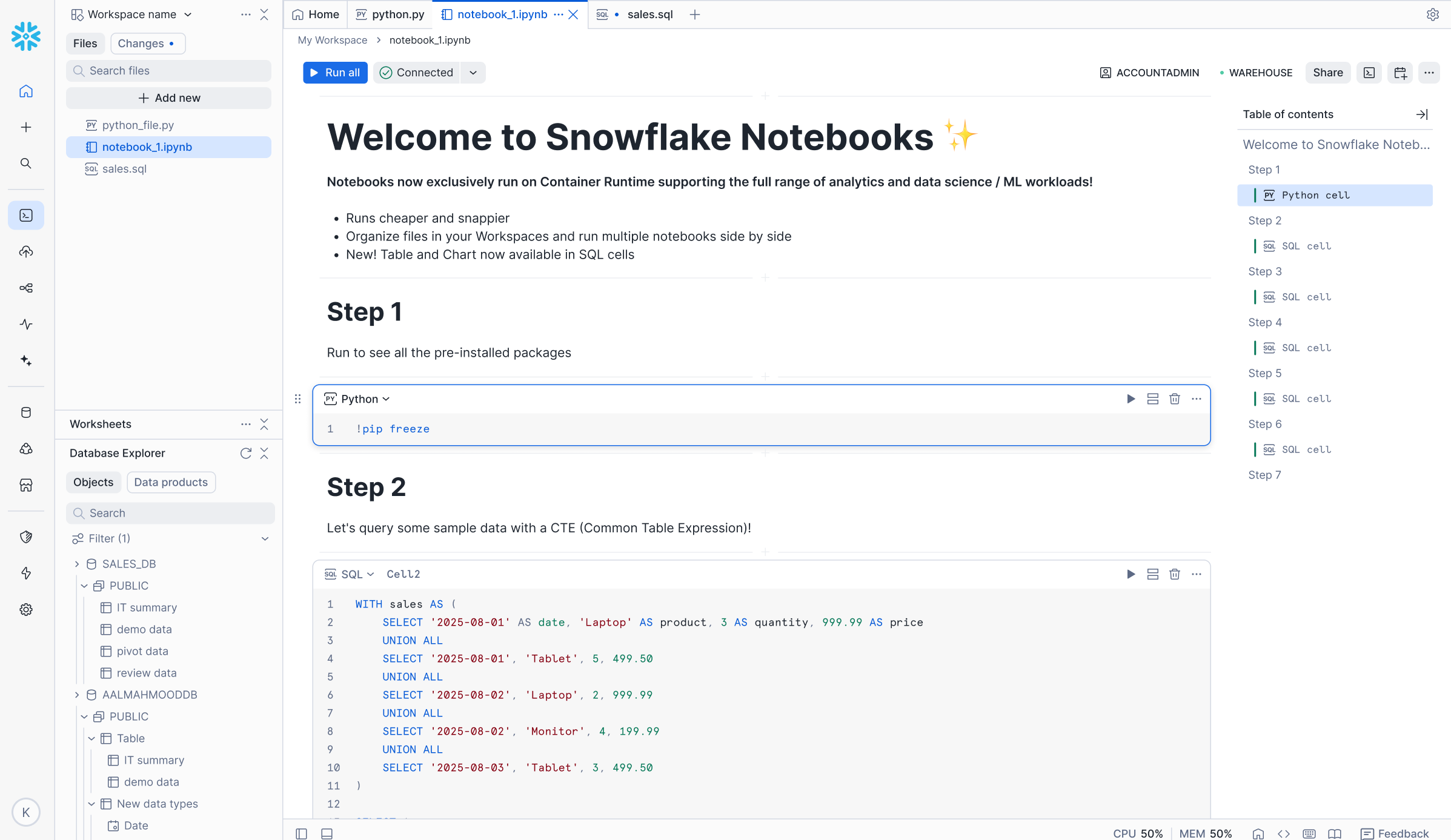
The new Snowflake Notebooks experience in Workspaces offers enhanced performance, improved developer productivity, and Jupyter compatibility. The Workspaces environment supports easy file management, allowing you to iterate on individual notebooks and project files. Create folders, upload files, and organize notebooks. Notebook files open in tabs in your workspace and are editable and executable.
This new offering includes:
- Familiar Jupyter experience - Supports a Jupyter notebook environment with direct access to governed Snowflake data.
- Enhanced IDE features - Editing tools, file management, and access to terminal for increased productivity.
- Powerful for AI/ML - Runs in a pre-built container environment optimized for scalable AI/ML development with fully-managed access to CPUs and GPUs.
- Governed collaboration - Allows multiple users to work in the same workspace with role-based access controls and version history through Git-integrated workspaces or Shared workspaces.
- Schedule and orchestration - Use the native scheduler or incorporate notebooks into orchestration scripts for production pipelines.
- Python files - Run
.pyfiles interactively in the same Workspaces environment using notebook services. See Python files in Workspaces.
Benefits for machine learning (ML) workflows
Notebooks in Workspaces provides two primary capabilities for ML workflows:
- End-to-end workflow - The platform enables users to consolidate their complete ML lifecycle, from source data access to model inference, within a single Jupyter notebook environment. This environment is integrated with the underlying data platform, allowing it to inherit existing governance and security controls for the data and code assets.
- Scalable model development architecture - The architecture supports the development of scalable models by providing open-source software (OSS) model development capabilities. Users can access distributed data loading and training across designated CPU or GPU compute pools. This design simplifies ML infrastructure management by abstracting the need for manual configuration of distributed compute resources.
For more information about Snowflake ML, see Snowflake ML: End-to-End Agentic Machine Learning.
Get started
Note
These quickstarts are only shown as examples. Following along with the example may require additional rights to third-party data, products, or services that are not owned or provided by Snowflake. Snowflake does not guarantee the accuracy of these examples or cover them under any Service Level Agreement.
- Watch the introduction video for an overview of Notebooks in Workspaces.
- Follow the quickstart to learn how to accelerate topic modeling with scikit-learn and pandas in Snowflake ML.
- Explore the First Machine Learning Project notebooks, a notebook series covering data preparation, exploratory data analysis, model training, and experiment tracking.
- Follow the Build an End-to-End ML Workflow in Snowflake guide to walk through a complete machine learning workflow, from data preparation to model deployment.
- Follow the Getting Started with Data Engineering using Snowflake Notebooks quickstart, with accompanying code on GitHub, to learn how to build production data engineering pipelines using Notebooks in Workspaces.
- See an example of Healthcare ML: Breast Cancer Classification with XGBoost that demonstrates how to build a classification model in Snowflake.